TL;DR
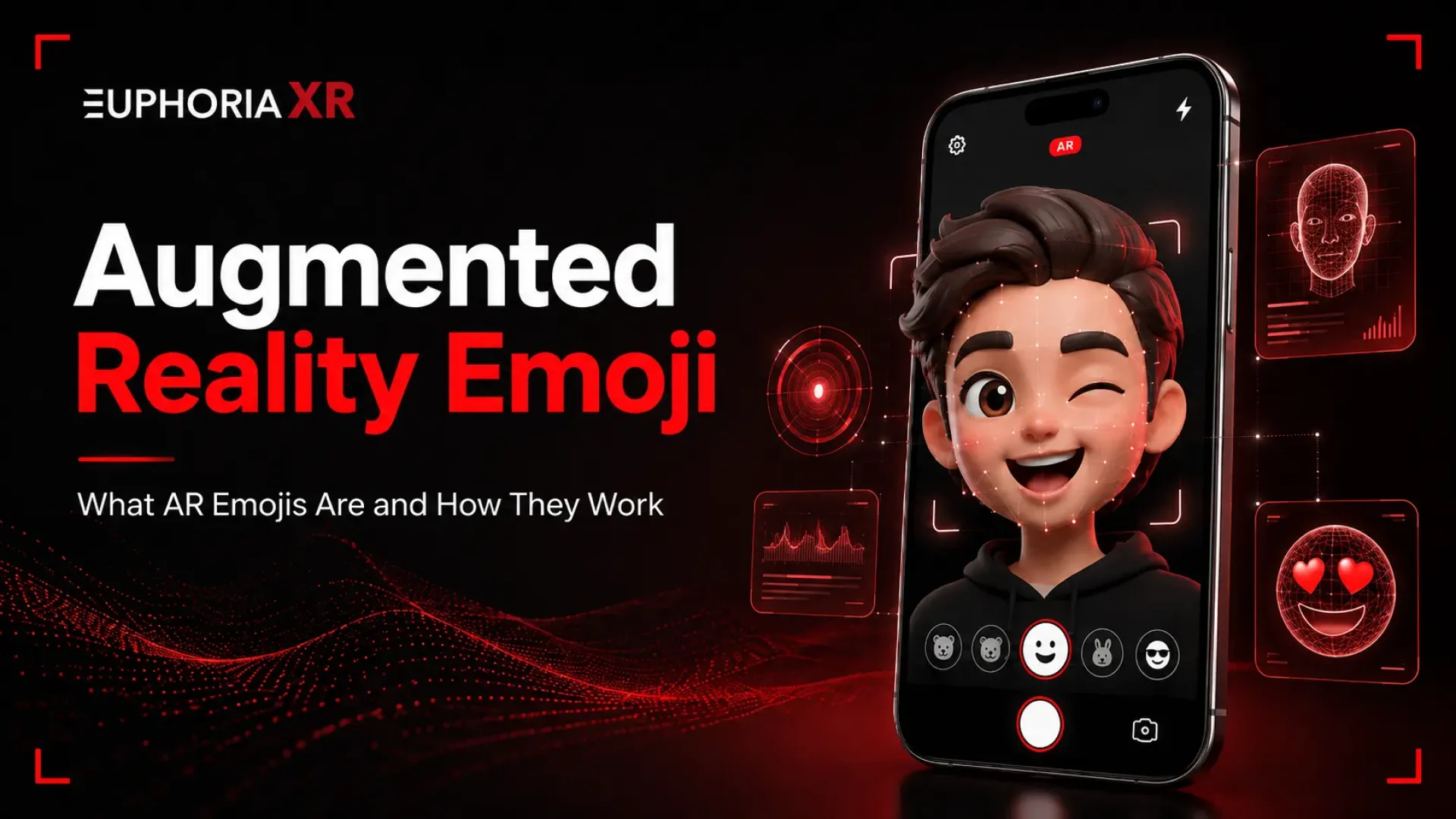
An augmented reality emoji is an animated image or emote that can respond to the user’s face and voice, or even to their facial expressions and body movements. An AR emoji will be able to move and respond in real time, unlike a typical emoji. The avatar, sticker, GIF, or character is generated using a phone camera, face tracking, body tracking, computer vision software, and animation software.
Samsung has made a positive impact in spreading AR Emoji, with Galaxy phone owners able to create customized avatars, animated stickers, photos, and videos. Samsung renamed AR Emoji to Galaxy Avatar on compatible Galaxy devices running Android 15 and One UI 7 or later.
The AR emoji technology is not used only in Samsung. It’s been witnessed in messaging apps, social media, games, branded characters, marketing campaigns, virtual events, and unique AR apps.
A smiley emoji can show that you’re happy. But what if the emoji can smile when you do, move when you move, and even look just as you do?
An augmented reality emoji is the concept behind that.
AR emojis merge computer vision, cameras, face tracking, animation, and augmented reality. The outcome may be a cartoon of you or an animated sticker that mimics your expressions in real time.
The term is popularized by Samsung via the AR Emoji on Galaxy phones. This concept is starting to manifest in various messaging platforms, social experiences, games, and Branded AR Filters Experiences.
What is an Augmented Reality Emoji?
An augmented reality emoji is a digital effect, avatar, or character that responds to the user’s voice, body movement, and facial movements. It is equipped with a camera and technologies like face tracking, body tracking, computer vision, and real-time animation.
An AR emoji will not remain stationary as compared to a standard emoji, but will move around and react to the person using it. For instance, when you smile, your avatar smiles; when you blink, your avatar blinks; or when you tilt your head, your avatar tilts its head. These 3D avatars, animated stickers, GIFs, virtual masks, and brand avatars are possible AR emojis.
What is an Augmented Reality Emoji App?
An augmented reality emoji app is a photo-realistic application that enables users to make augmented reality avatars or characters resembling emojis and manipulate them with a hand-held camera. The app uses facial features or body movements to capture and instantly apply them to a virtual face.
These applications can enable users to make personalized avatars, capture animated videos, generate AR avatars to stick as emoji animations, apply virtual effects, or share GIFs and images. Successful examples include Samsung AR Emoji, and similar face-tracking and avatar recognition functions are found in various mobile/social apps.
What is Samsung Augmented Reality Emoji/ Galaxy Avatar?
The Samsung augmented reality emoji (also known as Samsung AR emoji) is a relatively new addition to the Galaxy that lets users make virtual avatars that can be used to bring facial expressions and body movements to them.
Personalization of the avatar in gameplay: Users can define the face, hair, clothes, and accessories of the avatar. This can then be uploaded as a photo, video, GIFs, or AR emoji stickers. Samsung also revealed a new desktop AR Emoji Studio that can be used to personalize avatars and tools to make shareable stickers.
Note that the AR Emoji feature has been renamed to Galaxy Avatar for newer compatible Galaxy devices, but the old AR Emoji name is very often used and searched.
How Do AR Emojis Work?
The principles behind AR emojis lie in the ability to track the movement of a person’s face or body and activate a virtual character to reflect that. Move the camera towards the user, and the software is able to detect key points of the user’s body and face as they move so that the avatar is updated accordingly.
The simple process goes as follows:
Camera capture: The phone camera captures the user’s face or body.
Feature detection: Point detection software finds points in the eye, nose, mouth, face, or at joints
Movement sequencing: The system follows position changes, movements, and gestures
Avatar mapping: The movements are linked to a virtual 2D or 3D character
Real-time rendering: The character moves on screen as the user moves
Sharing: The result can be saved as a photo, video, GIF, or AR emoji sticker.
Some of the systems only consider facial expressions. They can be tracked by others through full- body poses and hand gestures.
How to Create an AR Emoji on Android?
It’s difficult to create an AR emoji on Android, but it’s possible to do it on different phones and apps. The Samsung Galaxy suite of devices comes with tools to help create customized avatars.
You can get a general idea of what you can do on supported Samsung devices by:
Open the Camera app.
Tap More and open AR Zone.
Click on AR Emoji Studio or choose the avatar option.
Take a photo or use the camera to create your avatar.
Personalize face, hair, clothing, and accessories.
Save the avatar.
Make photos, videos, GIFs, or AR emoji stickers.
On newer Samsung devices, it is possible that the feature will not be called AR Emoji but Galaxy Avatar. Additional AR apps are needed for other Android devices, or an AR-capable social app.
How to Create an AR Emoji or Galaxy Avatar on Samsung?
Galaxy Avatar is available for those who have compatible devices running Samsung’s Android 15 version and the Samsung One UI 7 or newer. Now Samsung has made Galaxy Avatar available to those with compatible devices running Samsung’s Android 15 version as well as the Samsung One UI 7 or later. The steps are dependent on the software version.
On Newer Samsung Devices
Open Settings.
Tap Advanced features.
Select Galaxy Avatar.
Tap the “+” icon to create a new avatar.
Make it with the camera, a Gallery image, or a preset avatar.
Customize the face, clothing, accessories, and other features.
Tap Save.
For Older Samsung Devices:
Open the Camera app.
Tap More and open AR Zone.
Click on AR Emoji Camera or AR Emoji Studio.
Follow the on-screen instructions to create and customize your avatar.
Save it to create photos, videos, GIFs, or AR Emoji stickers.
Options may be limited by the Galaxy model, software version, and region.
Different Types of Augmented Reality Emojis
The augmented reality emojis could also be utilized in a variety of ways, depending on what they monitor and the way that users interact with them.
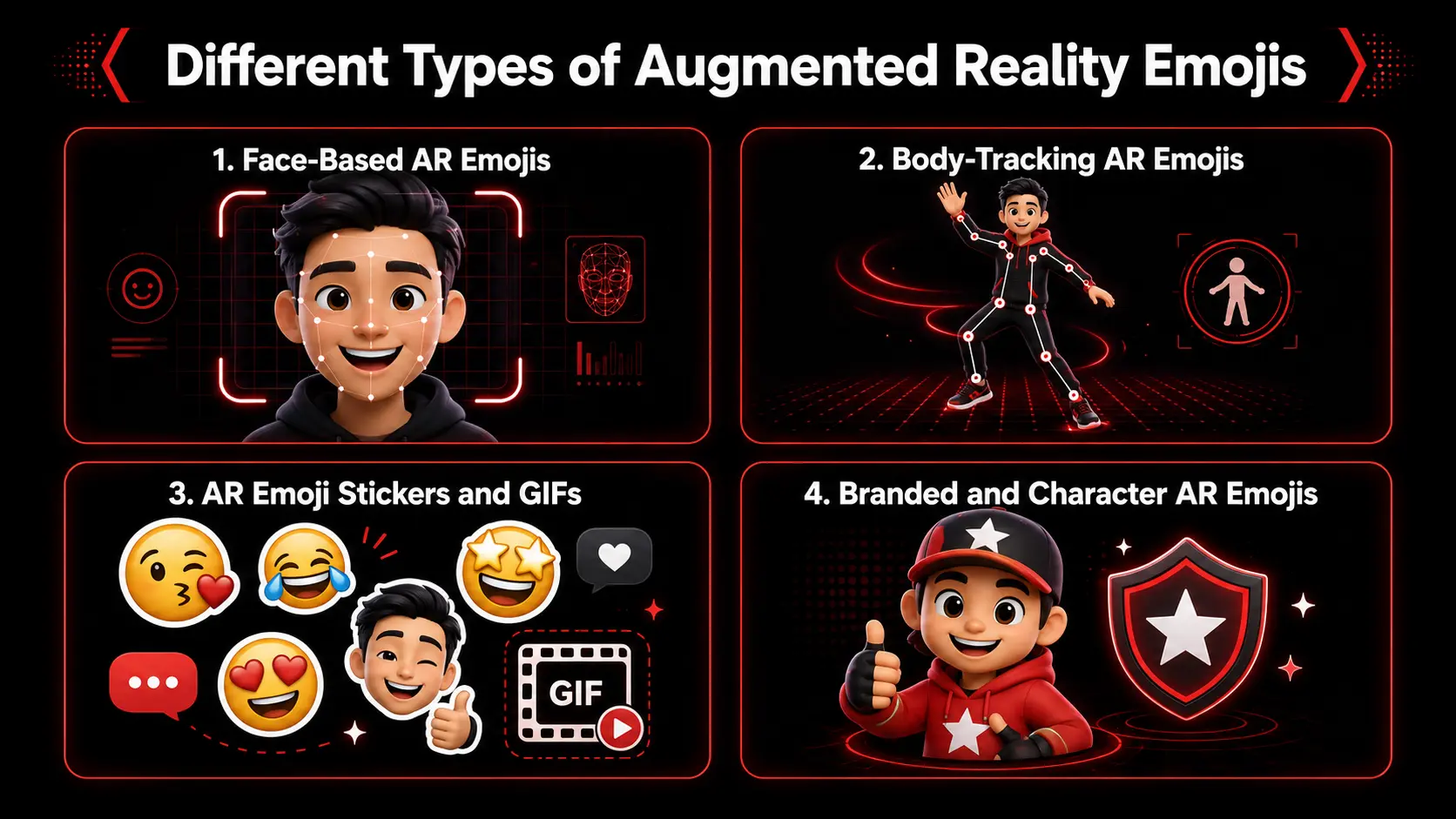
Face-Based AR Emojis
Emojis that capture facial features and expressions are known as face-based AR emojis. They may replicate smiles, blinks, the way the mouth moves, the way the brow moves, and the head position into a virtual avatar/character.
Body-Tracking AR Emojis
The body-tracking AR emojis are accompanied by larger movements, like arm positions, poses, or gestures. They can cause animation and effects to occur when an individual moves in a specific manner.
AR Emoji Stickers and GIFs
The AR emoji stickers and GIFs are designed to enable a user to create shareable reactions and short animations. They are frequently used in messaging, social media, and chats.
Branded and Character AR Emojis
Branded and character AR emojis are a set of emojis in which a personal avatar is replaced by a mascot, a movie character, a game character, or any other branded character. These can be combined for entertainment, marketing campaigns, games, and interactive AR experiences.
Suggested Read: https://euphoriaxr.com/augmented-reality-ar-zone-app/
What Technology Is Used to Create AR Emojis?
AR emojis are crafted with a blend of computer vision, facial tracking, motion tracking, machine learning, 3D modeling, and real-time rendering. These technologies enable a device to “read” a user’s body or face and duplicate those motions with a virtual body and face.
They include the following main technologies:
Computer vision: A technology that enables the device to interpret what’s in the camera’s images.
Face detection: Finds and follows a person’s face.
Facial landmark tracking: Tracks points around the eyes, mouth, nose, and other facial features.
Pose estimation: Identifies body orientation, motion, and gestures.
Machine learning: Assists with capturing expressions, poses, and movement patterns.
3D Modeling: Generates the virtual avatar or character.
Rigging and animation: Allow the character’s face and body to move.
Real-time rendering: Displays the animated AR emoji as the user moves.
Augmented reality: Places digital characters or effects into the camera view.
The tag technology employed will depend on the experience. It takes less processing power for a simple AR emoji sticker than for a 3D, real-time body and face-moving live representation.
AR Emoji vs Regular Emoji: What Is the Difference?
The primary difference is that a regular emoji is a fixed symbol, whereas an AR emoji is customisable, can be made to move, and can be linked to a user’s movement or expression.
For instance, the normal laughing emoji is the same for each person. An extra layer of augmented reality emoji could be given a personal avatar that has a face that reflects the user, and that face could be happy.
AR Emoji vs Memoji, Animoji and Bitmoji
While all offer users a more personal means of communication, each operates within different platforms and functionality: AR Emoji, Memoji, Animoji, and Bitmoji.
AR Emoji is mainly linked with Samsung Galaxy devices and personalized avatars.
Memoji enables Apple users to make their own character and trigger it using facial expressions.
Animoji also detects facial movements, but primarily relies on pre-programmed Keyframe animation of animals, characters, scenery, etc.
Bitmoji is more about customizable cartoon avatars and stickers used to send messages and interact in social media.
All four personalize digital communication, but Animoji, Memoji, and AR Emoji are more reliant on real-time facial animation.
How Can Businesses Create Custom AR Emoji Experiences?
Through AR branding, businesses can design their own AR emoji experience, associating branded characters with face tracking, body tracking, animation, and AR development.
Common steps of a typical process are:
Select the use case: Will the users be creating avatars, animating an avatar mascot, making stickers, or interacting with a character?
Design the character: Develop an avatar, either in 2D or 3D, that is suitable for the brand.
Select the tracking method: Use face tracking for expressions or body tracking for gestures and poses.
Generate the AR Experience: Link the camera, tracking, character animation, and controls for the user.
Add sharing options: Allow users to share photos, videos, GIFs, or stickers.
Device testing: Make sure lighting, movements, camera quality, and device performance are checked before the launch.
Custom AR emoji experiences can be created to feature in mobile applications, social campaigns, games, events, entertainment, or branded digital experiences.
Where Are Augmented Reality Emojis Used?
Augmented reality emojis are applied in any place where digital avatars can serve to enhance communication or interaction by being available.
Common uses include:
Messaging: Personalized stickers, GIFs, and animated reactions.
Social media: AR filters, short videos, and camera effects.
Gaming: Avatars that copy a player’s face or body movements.
Entertainment: Encourages interactive play with movie, TV, and game characters.
Marketing: Branded mascots, beloved characters, and shareable AR content.
Events: Personalized avatars, virtual characters, and branded photo experiences.
Virtual communication: Digital avatars for online interactions and virtual spaces.
The format is dependent on the objective. Live avatars are ideal for real-time interaction, while stickers can be used for quick sharing.
Benefits of Augmented Reality Emojis
AR emojis enrich digital interactions and make communication more visual, personal, and interactive.
Key benefits include:
Personalization: Users can create characters that look or behave like them.
Improved expression: Emotions can be expressed more clearly through movement and animation.
More interaction: Greater engagement by users than viewing content.
Easy sharing: Stickers, GIFs, images, and videos can be shared anywhere and at any time.
Brand engagement: Mascots and characters can become interactive experiences in businesses.
Reusable Content: Many expressions, poses, and animations are reusable using the same avatar:
Creating interactive stories: Characters may respond to the user and can become a part of the story.
In the business world, AR emojis can help make branded content more playful and fun without users having to learn an interface.
Limitations of AR Emoji Technology
Some minor drawbacks of AR emoji technology should be taken into account when developing an experience.
Tracking can vary: Results may be impacted by poor lighting, fast movement, or covered faces.
Device support varies: Older or lower-powered phones may not support advanced AR features.
Avatars may look different from users: Automatic avatar creation cannot copy every facial detail perfectly.
Real-time animation requires power: Complex 3D characters can take more performance from a machine.
Body tracking needs more camera space: Users may need to stand farther from the device.
Privacy must be handled carefully: Face-based experiences may process camera or facial information.
Platform differences can create compatibility issues: Features may work differently across Android, iOS, and individual apps.
Many of these can be minimized using good testing and simple design.
Key Takeaways
An augmented reality emoji is an animated virtual character that can react to the user’s face, voice, or motion.
AR emojis employ technology like computer vision, face tracking, body tracking, and animation that works in real-time.
One of the more notable examples of AR-specific personal avatars is the Samsung AR Emoji.
AR emojis can be used to create avatars, stickers, GIF images, tracked objects, or branded characters.
AR emojis differ from regular emojis because they can be personalized and animated.
Memoji, Animoji, and Bitmoji offer similar forms of digital self-expression.
Businesses can create custom AR emoji experiences for marketing, gaming, entertainment, events, and mobile apps.
AR emojis are a great tool for personalizing and interacting with digital communication.
During development, it is important to take into account the device’s compatibility, tracking quality, processing power, and privacy aspects.
Wrapping Up
An augmented reality emoji is an emoji that makes the basic concept of an emoji interactive. Users are able to invent symbols and characters that respond to their face, while not sending characters like everyone else.
This technology can do a lot more than just personal messaging. They can also be used by brands to make their own interactive avatar, which can be used by entertainment companies to voice their characters, or by developers to add custom avatars to existing games, apps, or experiences.
Frequently Asked Questions (FAQs)