













10 Real-World Examples of Spatial Computing
Spatial computing can also be applied to real-world scenarios in entertainment, work, shopping, design, and industrial applications.
1. Apple Vision Pro: Spatial Cinema
Nearly any room can transform into a personal cinema with Apple Vision Pro. The user can place a large virtual screen (VSR) in their space, which can be scaled and moved.
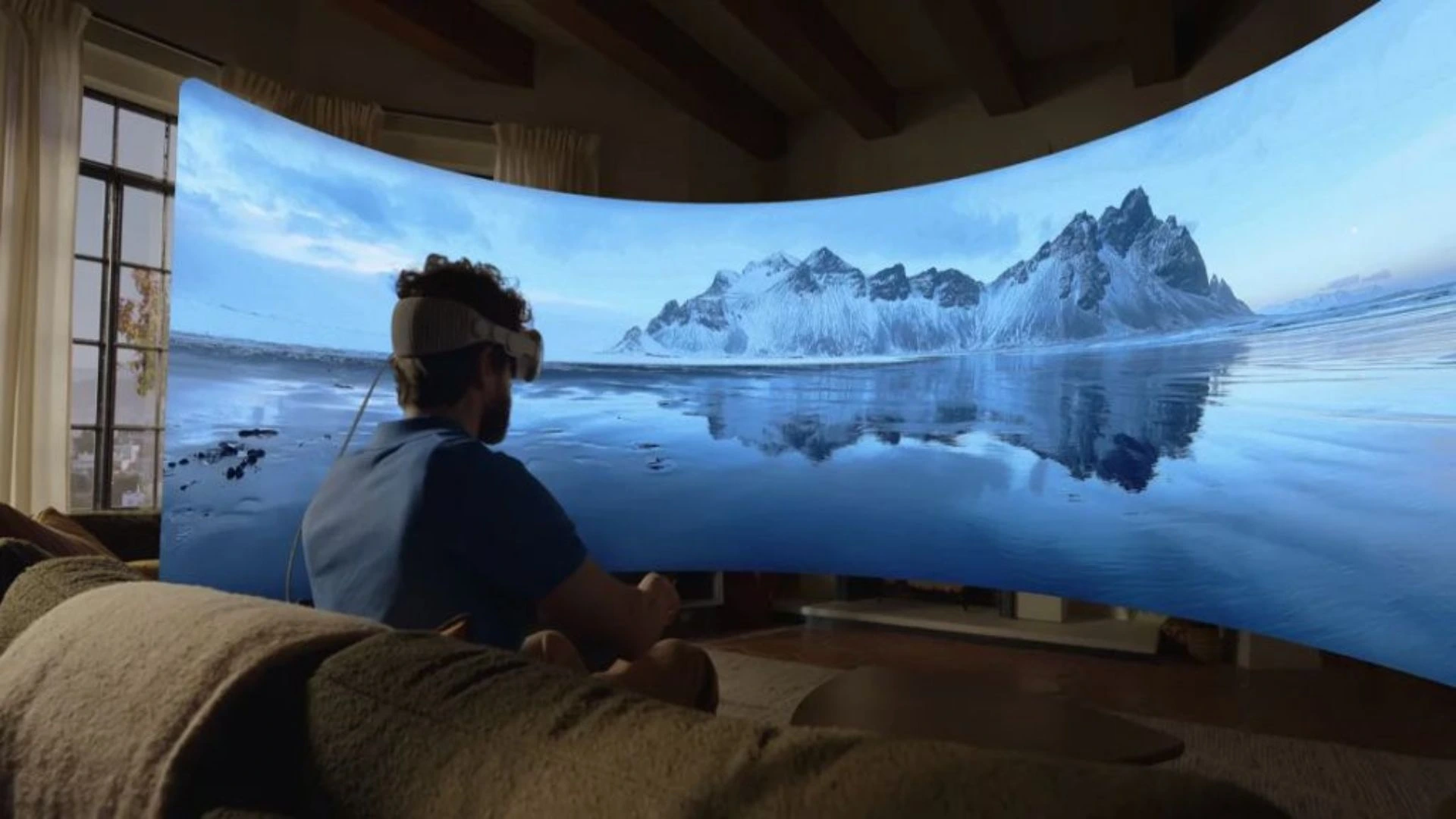
The device features in-depth visuals, Spatial mapping, and Spatial Audio to produce depth. Sounds also feel like they are related to the user’s environment. Regular movies, 3D, and Apple Immersive Video can be shown.
It can be controlled by users’ eyes, hands, and voice. They also have the option to change the visibility of the physical room.
This is an obvious instance of Apple’s spatial computing. It demonstrates how something we do every day can be translated into a spatial experience, such as watching a film without a real TV or projector.
2. Meta Codec Avatars: Spatial Meetings
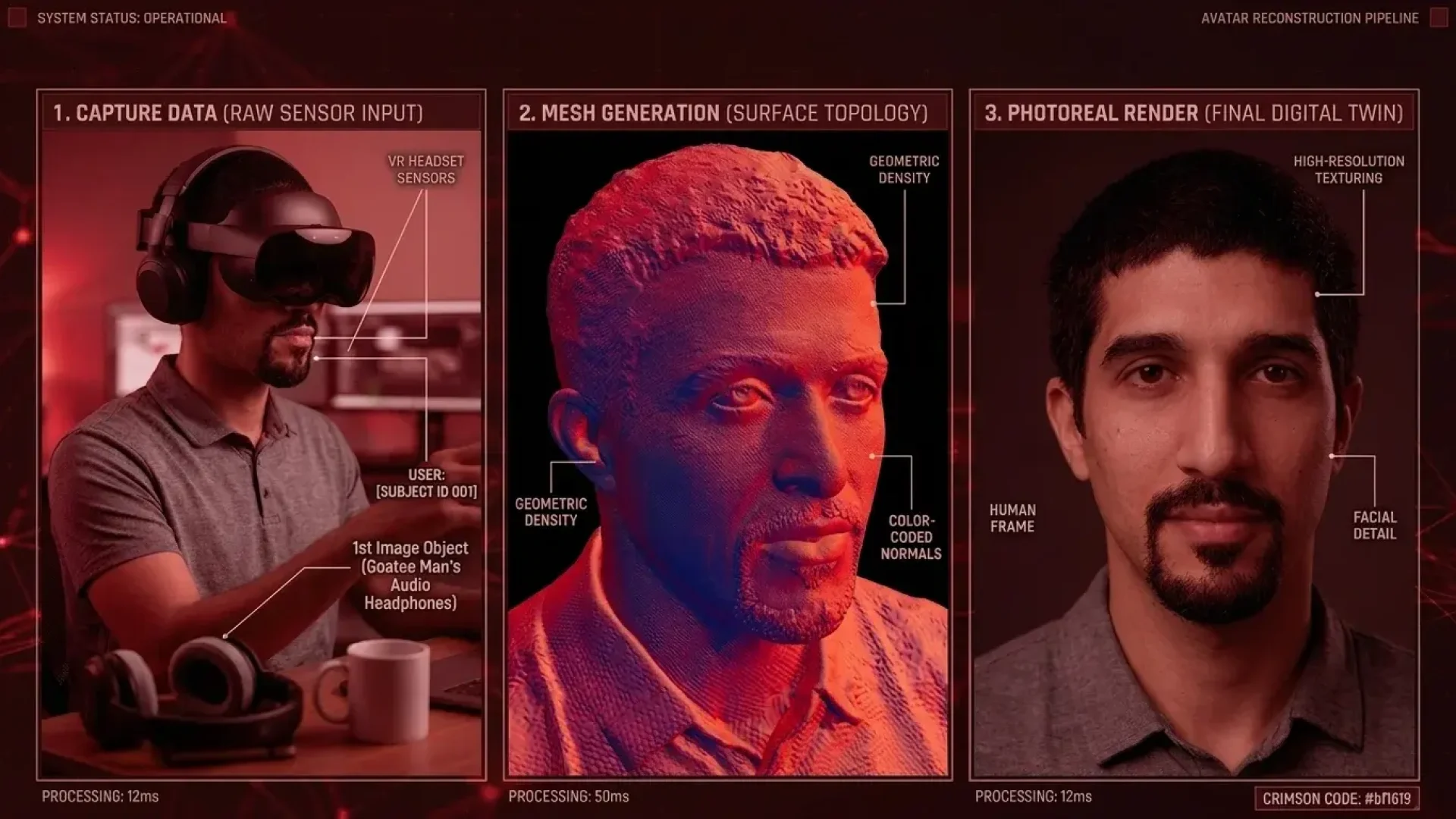
Meta Codec Avatars are virtual likenesses of individuals. They are intended to make virtual conversations more real than regular video calls.

The system utilizes cameras, sensors, and AI to capture a person’s look. It can also be an expression of face, eye contact, and body movements. The avatar can then be seen as a real person in a common 3-D environment.
This can affect interaction between remote employees as if they are sitting together. People could view each other, read their expressions, and talk about 3D objects from various places.
Codec Avatars are not yet ready to be fully implemented, though, as they are still being worked on by Meta. They are not yet as popular as meeting tools. This example demonstrates how spatial computing might enable the adoption of more personal and more on-the-spot, virtual encounters.
3. Apple Vision Pro Mindfulness: Immersive Wellness
The Mindfulness app on the Apple Vision Pro has a tranquil vibe around the user. It employs a combination of soothing visual cues, calming auditory elements, and spatial manipulation to aid breathing and reflection.
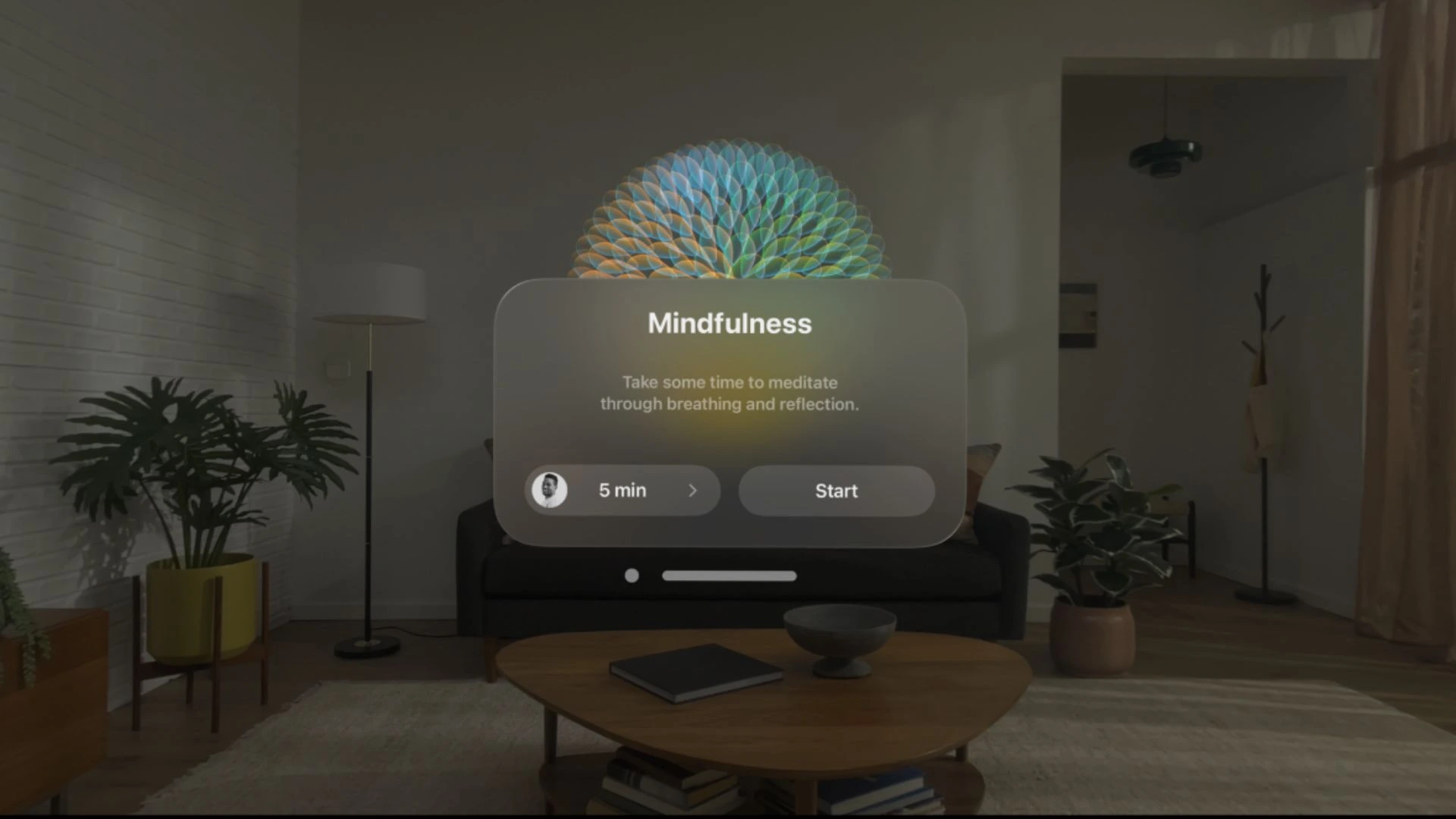
Options include either guided or starting a self-guided meditation. They have the option to choose the length of the activity as well. Rather than viewing an LCD screen on their phone, they see relaxing visual displays everywhere.
The follow your breathing function is another dimension of space. It gives visual presentations and sounds based on the user’s breathing pattern. This helps people to relax, concentrate, and practice each breath.
This case illustrates everyday wellness benefits of spatial computing applications. It brings together the environment in which the user is placed with responsive digital content that helps to concentrate thought for a more meaningful mindfulness experience.
4. Industrial Digital Twins: Operational Visibility
An industrial digital twin is a digital replica of a product, machine, process, or factory. It allows teams to see, learn, and examine physical operations in a 3D interactive environment.
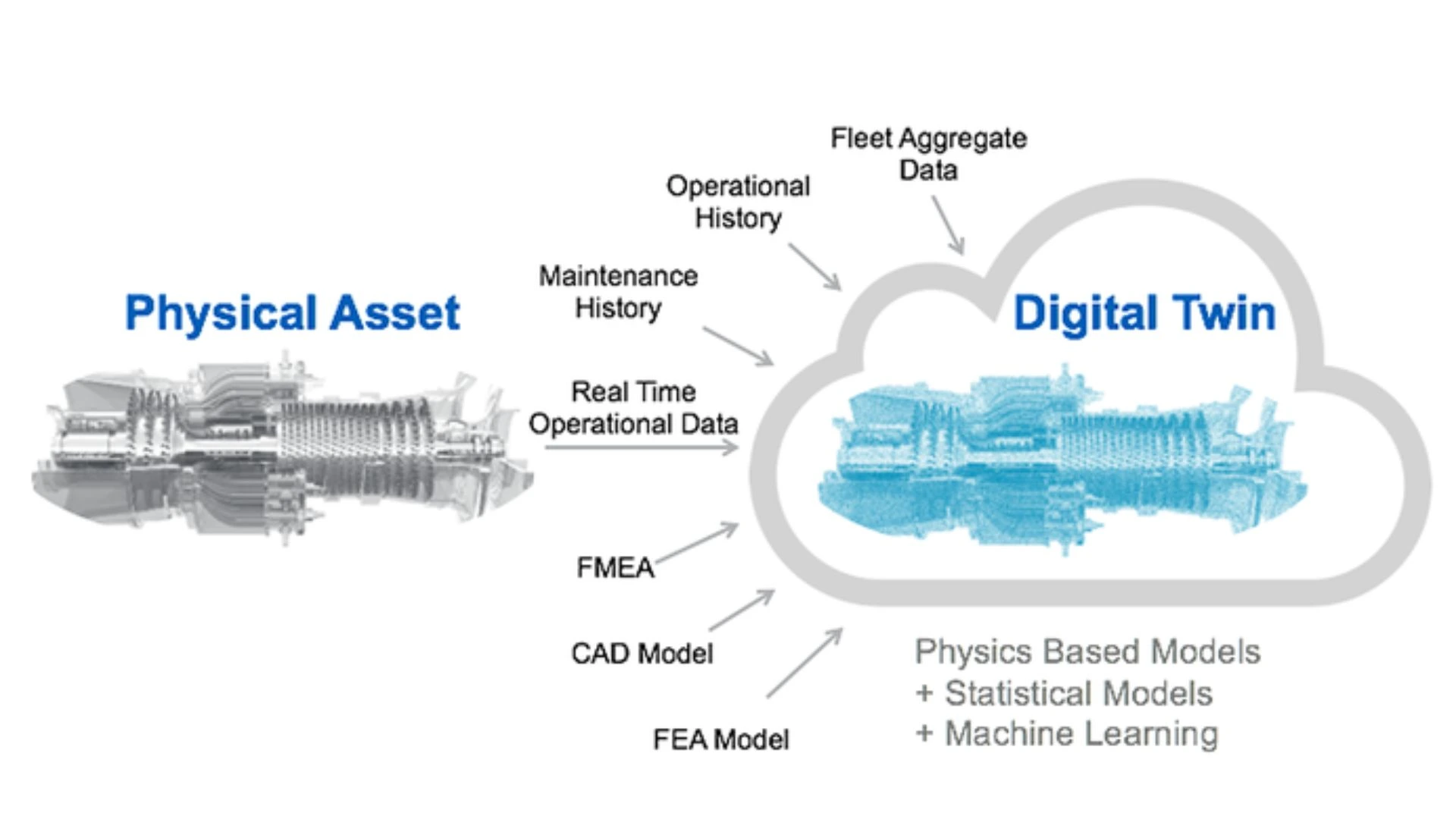
Real-time data is sent to the digital twin from sensors and connected systems. The information can be utilized by managers to inspect equipment, monitor delays in production, and ascertain the performance of facilities.
The factory models and process changes can be tested before application. This minimizes the potential of interrupting actual production or causing expensive equipment damage.
One of the key applications of enterprise spatial computing is the creation of digital twins. They combine machines, data in machines, and physical spaces in one visual model. OEMs in this industrial spatial computing use case enable planning, monitoring, maintenance operations, training, and safer business decisions through spatial computing.
5. Microsoft 365 on Apple Vision Pro: Spatial Productivity
Microsoft 365 apps can be seen on Vision Pro across any of the user’s physical workspaces. This frees up more space for papers, meetings, presentations, and day-to-day activities.
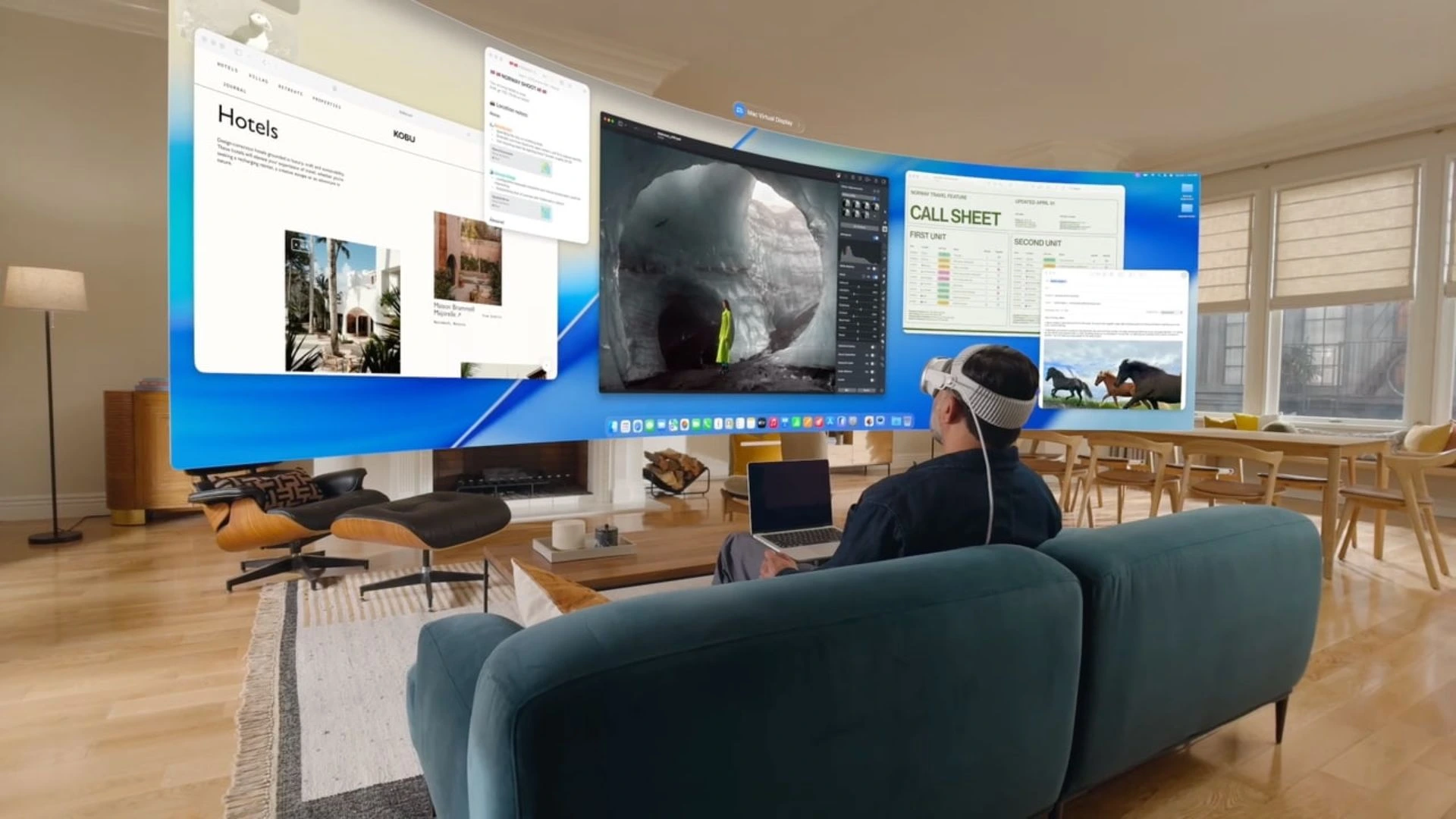
Choose between Word, Excel, PowerPoint, Outlook, OneNote, Loop, and Microsoft Teams. Open Word, Excel, PowerPoint, Outlook, OneNote, Loop, and Microsoft Teams cells. They can set up multi-app windows around them rather than all on one touch screen.
A user can edit a Word document and see some Excel data in the same window. They can also participate in a Teams meeting and collaborate with other people on shared files within a common spatial workspace.
Apps can be controlled with voice, hand, and eye. It is possible to use a Bluetooth keyboard and mouse too. This example of spatial computing demonstrates how a typical desk can be turned into a bigger digital workspace using as few as a few monitors.
Related: https://euphoriaxr.com/spatial-computing-ai-real-world/
6. Automotive Engineering: Full-Scale Design Reviews
Spatial computing assists auto teams to see the car in hand before they can construct an expensive physical model. They will be able to explore and view the form of the virtual car. Teams can also inspect parts inside the package, on the controls, and the visibility and part placement. Digital models can be compared to actual vehicle frames or even prototype parts.
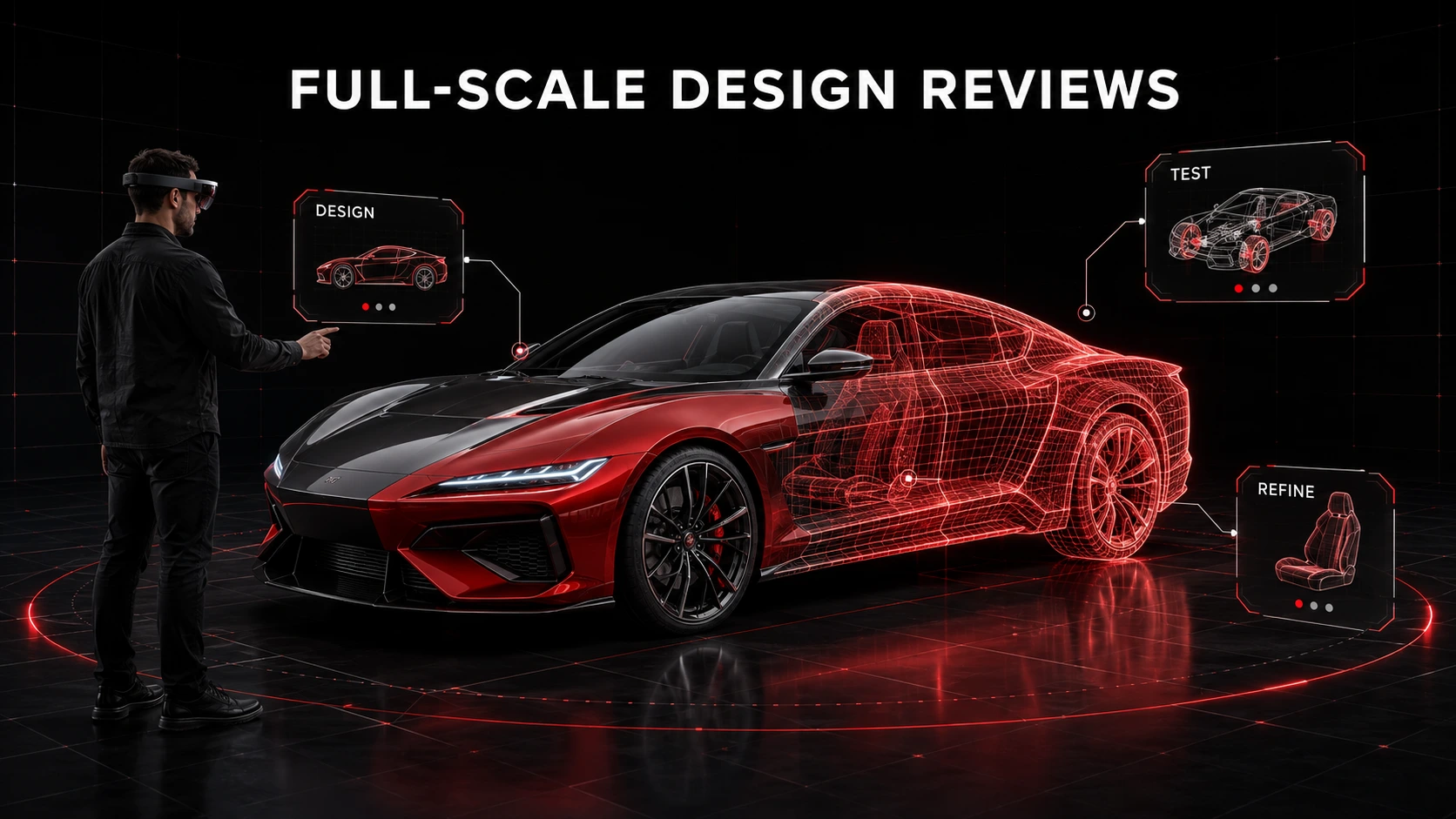
As an example, BMW has already implemented augmented and mixed reality in its vehicle development. Its engineers are able to mount 3D models at a one-to-one scale above real cars. This enables them to revisit design choices and constructions earlier.
Use cases are implemented in a way that enables faster testing and better team collaboration with spatial computing. Design or assembly issues can be located before a prototype is made that may require repetition.
7. Museums: Immersive Cultural Storytelling
With spatial computing, people can subscribe to digital stories that can be “placed” in a physical exhibition within the museum. People will be able to view 3D characters, objects, animals, or historical scenes all around them.
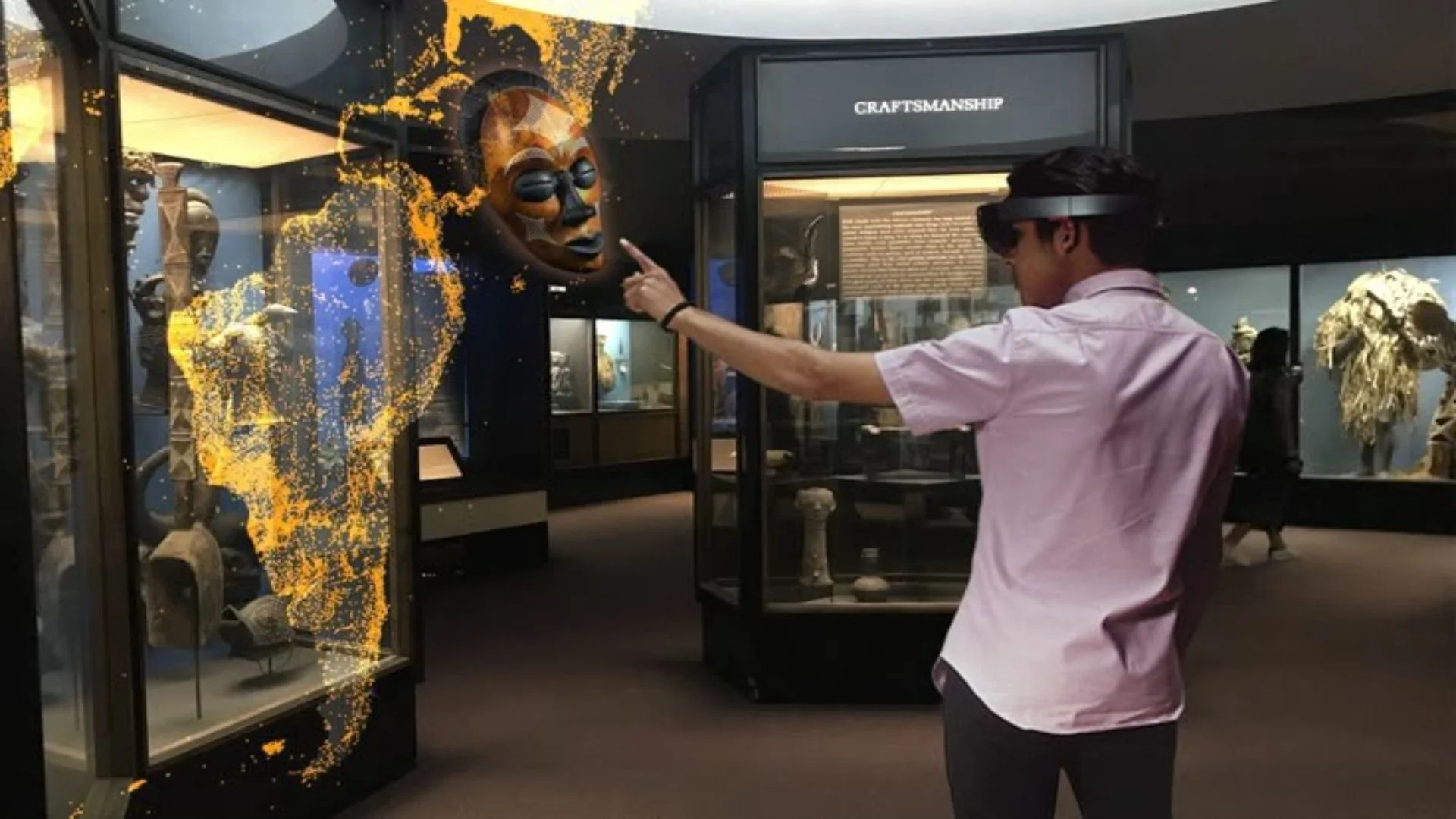
Visions of Nature” is a mixed reality experience at London’s Natural History Museum. Headsets are fitted to the visitors’ heads as they explore eight future ecosystems. Music and narration lead the way, and virtual plants and animal videos appear throughout the real space.
The room is visible to the visitors; they can see others around. These can also communicate and play with virtual life through physical gestures, such as holding out their hands.
These spatial computing applications can assist museums in their efforts to convey stories that are hard to tell without physical artifacts. They help to make science, nature, history, and culture easier to see, explore, and remember.
8. IKEA Place: Furniture Visualization
IKEA Place was one of the first instances of spatial computing in retail. The mobile application enabled customers to place 3D furniture in their room with a phone camera, with a true-to-scale size.

Customers could check out what a chair, table, or sofa would look like before purchasing. They could compare its dimensions, location, colour, and appearance with the actual environment.
With IKEA Kreativ, IKEA is providing similar, and even more sophisticated capabilities. Users can scan a room, remove existing furniture digitally, and add IKEA products. If you have a device with LiDAR, then the tool can also generate a 3D model of the room.
One of the most recognized spatial computing applications in the real world. It facilitates 360-degree viewing of products for comparison, space planning for the layout, and supports informed purchase decisions.
9. U.S. Army IVAS: Spatial Field Information
Integrated Visual Augmentation System (IVAS) is an augmented reality version of a head-mounted display for the U.S. Army. It drops valuable digital information in front of the soldier’s eyes.
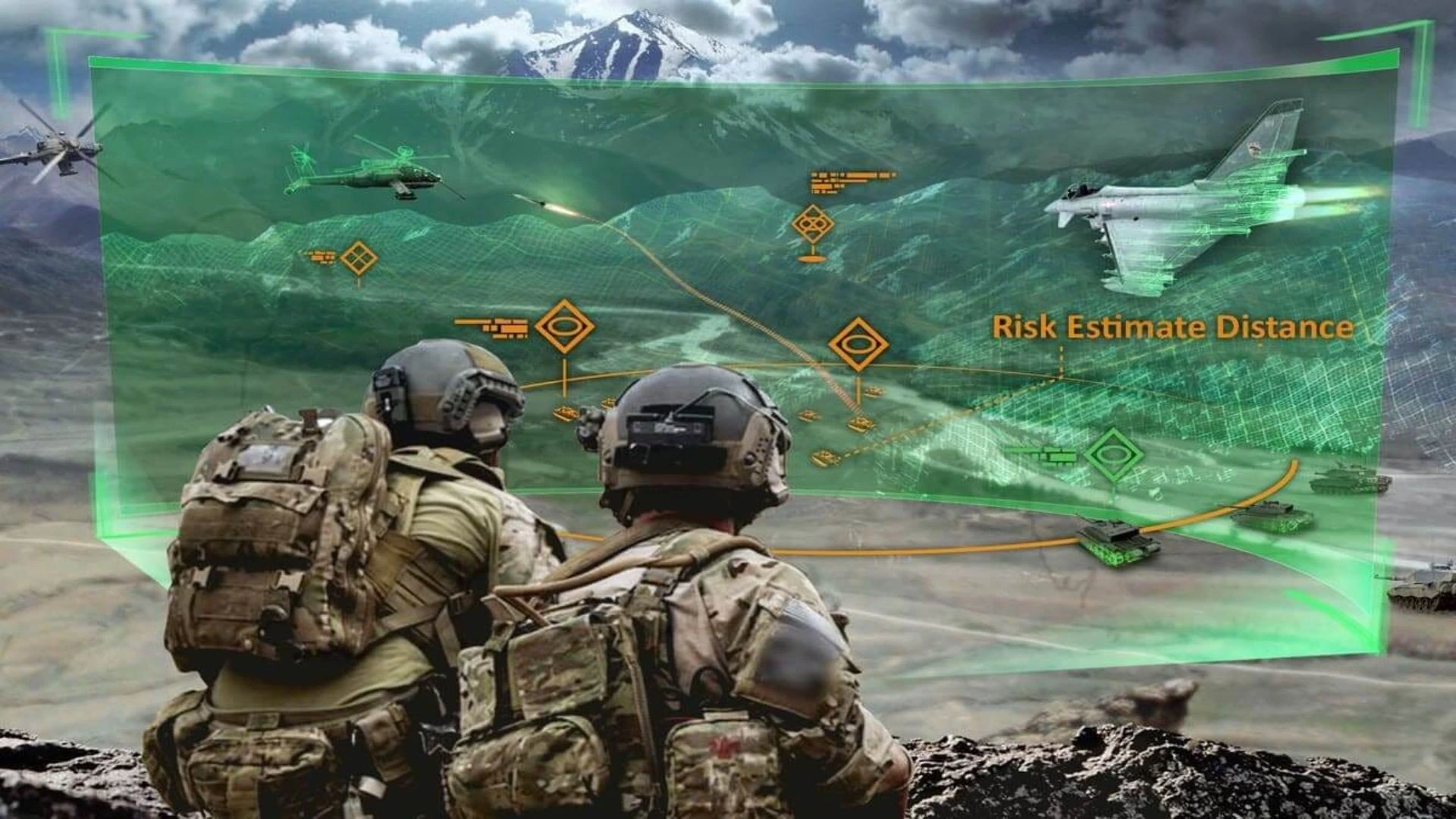
The IVAS was created to integrate multiple features like navigation, 3D maps, night vision, thermal, and team position into one system. These are designed to be used by soldiers when they are training, rehearsing, or operating in a field.
The system is able to show the possibilities of linking real data with real locations in a virtual way of calculation. Users don’t have to consult an external map or display; they can see the information surrounding them.
But IVAS has experienced occurrences of technical, comfort, cost, and testing issues. The earlier versions failed to satisfy the requirements of soldiers, and this further developed. Hence, it is a valuable example of Spatial Computing Technology but not a straightforward tale of successful implementation.
10. Spatial Remote Assistance for Technicians
Spatial remote assistance enables an on-site technician to link with an expert in another location. The technician is sharing a live view of the machine, the equipment, or the work area.
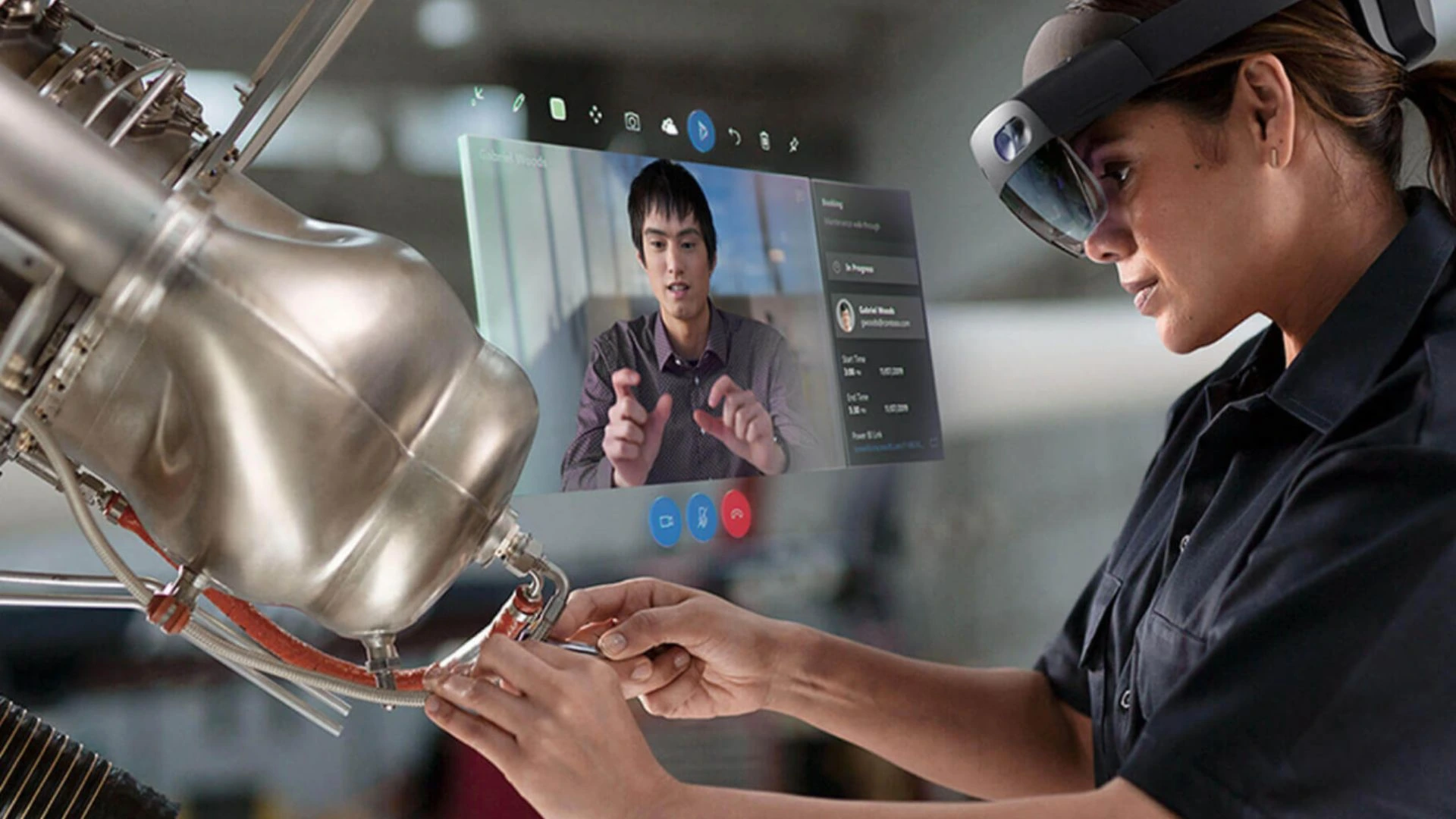
The expert is able to draw arrows, circles, or notes on top of the live image. These spatial annotations are for the right physical components. They render teaching and learning more meaningful than video or voice instructions.
For instance, while working with a machine, they’d be able to display the control panel. The expert could deal with each repair step and be able to mark the correct switch. Microsoft Teams, now made for frontline workers, is improving support for spatial annotations via mobile devices.
It’s one of the most useful use cases in industry that uses spatial computing. Maintenance, inspection, training, and repairs are supported. It could also save them time in traveling and find solutions to curious issues by getting a helping hand from experienced technicians.