














TL;DR
Augmented reality software enables a creator to merge digital content into a real-time perspective of the world
The best options are:
Unity AR Foundation for cross-platform mobile applications
Unreal Engine for advanced graphics and 3D Effects.
Vuforia Engine for image, object, and model recognition
Apple ARKit for native iPhone and iPad experiences
Google ARCore for Android-focused AR applications
8th Wall for browser-based WebAR experiences
EasyAR’s flexible and economical development process.
Select an AR tool based on:
Your technical skills
Your target devices
The required tracking method
Delivered via application or browser.
Licensing and publishing costs
Long-term content management needs
The adoption of AR technology can seem like purchasing tools without thinking about your project. One tool works well for iPhone apps. The other one is based on Android. The third enables users to open an experience right in their browser.
There are potential issues with the wrong platform. Limited devices, tricky coding, unstable tracking, and expensive pricing for licenses are among the possibilities faced by your team. It could be necessary to recreate the experience later on.
With the appropriate Augmented Reality software, the situation is a lot easier. It helps your device to comprehend the physical world and situate virtual objects. This content will contain 3D products, instructions, games, videos, or interactive characters.
It will depend on the project you decide to construct. Also, this is dependent on your expertise, users, gadgets, price range, and the way you’ll distribute the finished product.
What Is Augmented Reality Software?
Augmented reality software is software which overlay digital content on top of a live scene of the physical world. It relies on cameras, sensors, tracking systems, and 3D rendering technology to create a sense of connection between virtual objects and real spaces.
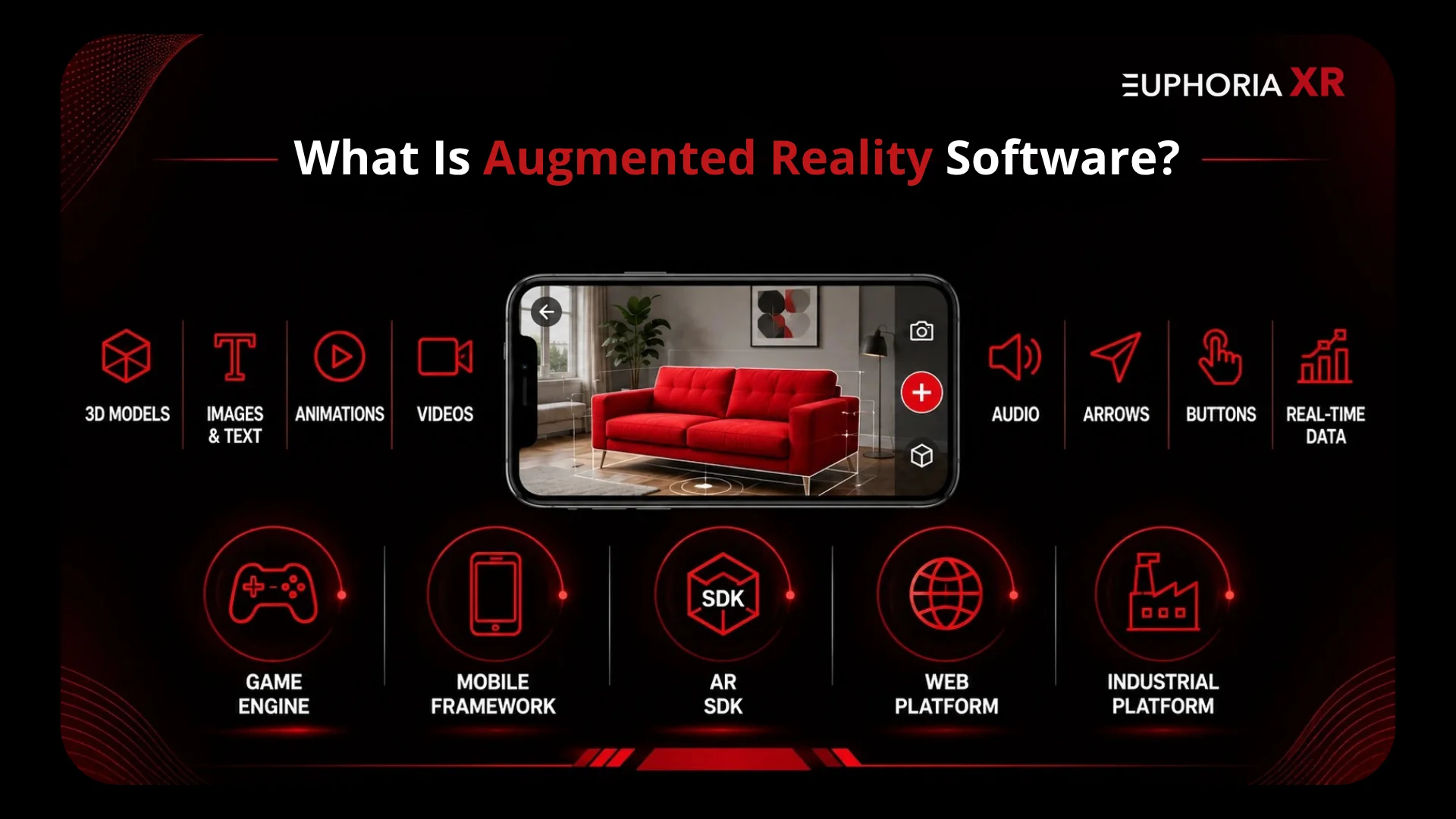
For instance, furniture stores can put in a virtual sofa room, and customers can add the virtual sofa to their room. Steps for repair over a real machine that a factory worker can view. A student can use a phone to view an animated model when it is aligned on a book.
When using AR, you can see:
3D models
Images and text
Animations
Videos
Audio instructions
Navigation arrows
Interactive buttons
Real-time data
The digital content doesn’t just appear “hovering” above the screen. Good software understands surfaces, movement, distance, lighting, and physical objects.
According to Apple, ARKit is a library of tools that involves motion tracking, world tracking, scene understanding, and display functionality. These features enable virtual items to become part of the physical world.
AR software can be used to refer to multiple technologies. It could be a game engine, a native mobile framework, an augmented reality SDK, a web browser platform, or an industrial content system.
How Does Augmented Reality Software Work?
The augmented reality software enables the connection of the camera system to a tracking and rendering system. It details 5 simple steps.
The camera takes photos of the surroundings: Records a live view on the phone, tablet, or the headset. Other sensors can detect motion, direction, and device position.
The software analyzes the scene: Searches for floors, walls, pictures, faces, objects, or visual cues. Other tools can also offer depth estimates and lighting estimates.
The system produces an electronic map: The software is able to recognize key features in the surroundings. It leverages these points to gain insight into the device’s position.
The virtual content is given an anchor: A “digital object” is anchored to a surface, image, location, or physical object. This anchor helps to stabilize the object.
The scene updates as the user moves: The software dynamically alters the location, elevation, illumination, and scale of the virtually displayed information.
According to Google, ARCore is based on three key features. These are mean motion track interpretation, environmental understanding, and light estimation. They co-shape the positioning and the placement of the content within the environment.
Some experiences employ marker tracking. The program searches among a set of predefined pictures, like a poster or package.
Most people use markerless tracking. Identifies open spaces, walls, and floors without using a printed marker
More complicated systems can utilize:
Plane detection
Image recognition
Object recognition
Facial tracking
Body tracking
Depth sensing
Spatial mapping
Geographic positioning
Light estimation
Types of Augmented Reality Software
There are multiple types of augmented reality application software. Some products exist for both novice users and advanced industrial, web, and mobile projects. These are the best kinds to use depending on the way in which it will be constructed, delivered, and managed.
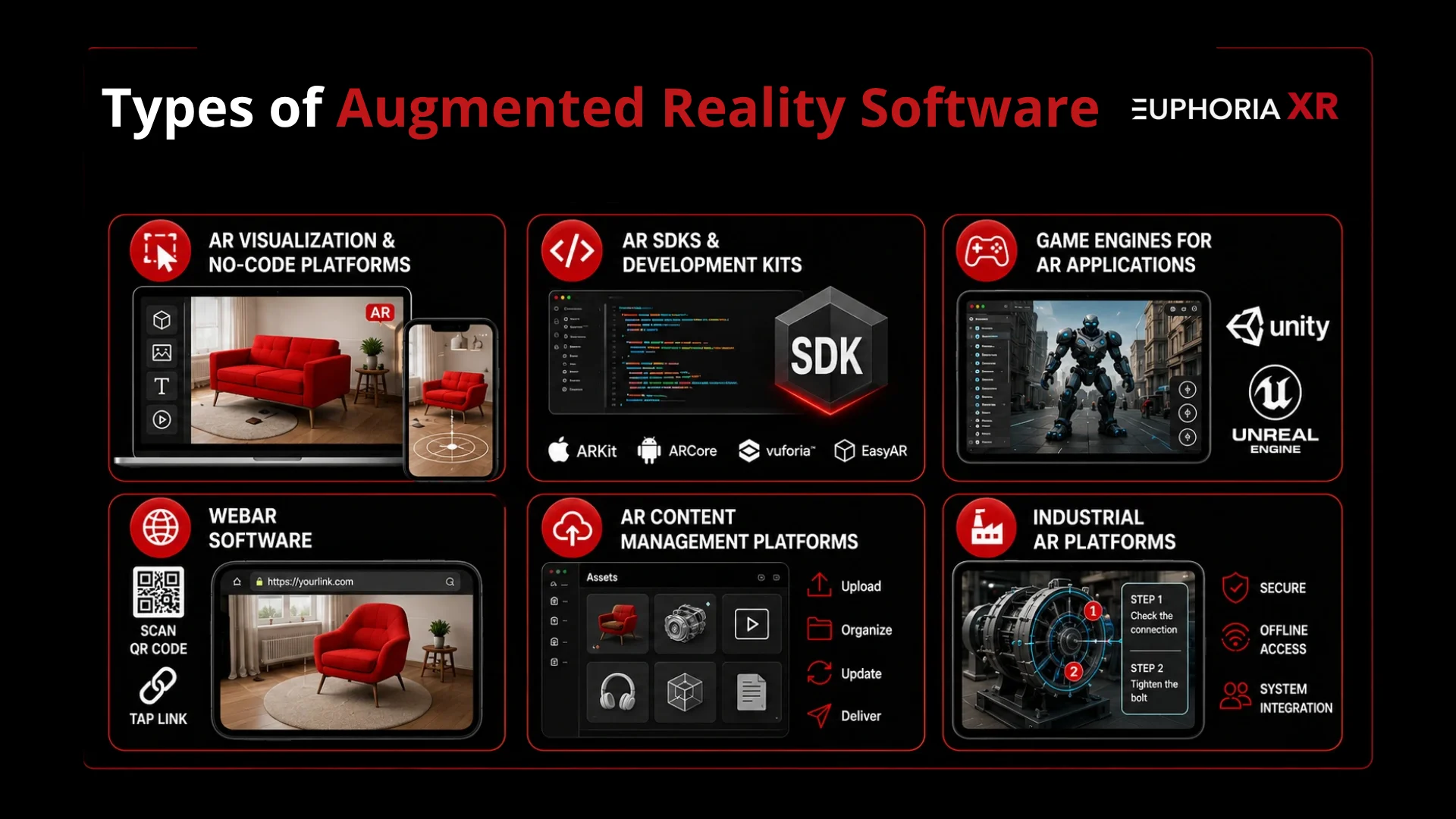
AR Visualization and No-Code Platforms
AR visualization platforms are designed to empower users to build easy experiences with a visual editor. They can be applied for product preview, marketing campaigns, classroom content, and interactive packaging.
The majority of no-code augmented reality software supports uploading 3D objects, animation application, making buttons, and publishing experiences without requiring any advanced programming. While suitable for beginners, this can be a drawback in your ability to tailor the platform as much as you’d like for your own uses.
Augmented Reality SDKs and Development Kits
An augmented reality SDK provides the technical means needed to integrate AR functionality into an app. May contain tracking systems, code libraries, APIs, sample projects, and testing resources.
Popular Augmented Reality (AR) development kits include ARKit, ARCore, Vuforia, and EasyAR. They offer more control than no-code platforms, and require programming skills.
Game Engines for Building AR Applications
Game engines offer a fully fledged environment for developing fully interactive AR programs. 3D scenes, lighting, animation, the physics used, sounds, and interaction with the 3D world are all managed within a single platform in which the developer can work.
There are many augmented reality software development platforms, such as Unity and Unreal Engine. They are used for games, training tools, visualizing products, simulations, and cross-platform mobile applications.
WebAR Software
With WebAR software, you can launch an Augmented Reality experience with any common web browser on a mobile device. Can scan QR codes and/or tap links without downloading an app.
Ideal for Product Campaigns, Interactive Packaging, virtual try-ons, and short branded experiences. Nevertheless, different browsers can perform differently on various devices.
AR Content Management Platforms
Teams can boost their AR content management with platforms that help in storage, organization, updating, and delivery of digital assets. These can be in the form of 3-D models, videos, instructions, animation, or product information.
They are appropriate for situations where content needs to be shared between multiple applications, devices, or locations, or content frequently changes. Teams will be able to make changes to their assets without having to rebuild the entire experience.
Industrial Augmented Reality Platforms
Industrial AR apps can complement the workplace by helping with training, maintenance, assembly, inspection, and remote assistance.
Often these platforms offer more robust security controls, permissions usage, system integrations, and offline access. Popularly used in manufacturing, engineering, logistics, and field service.
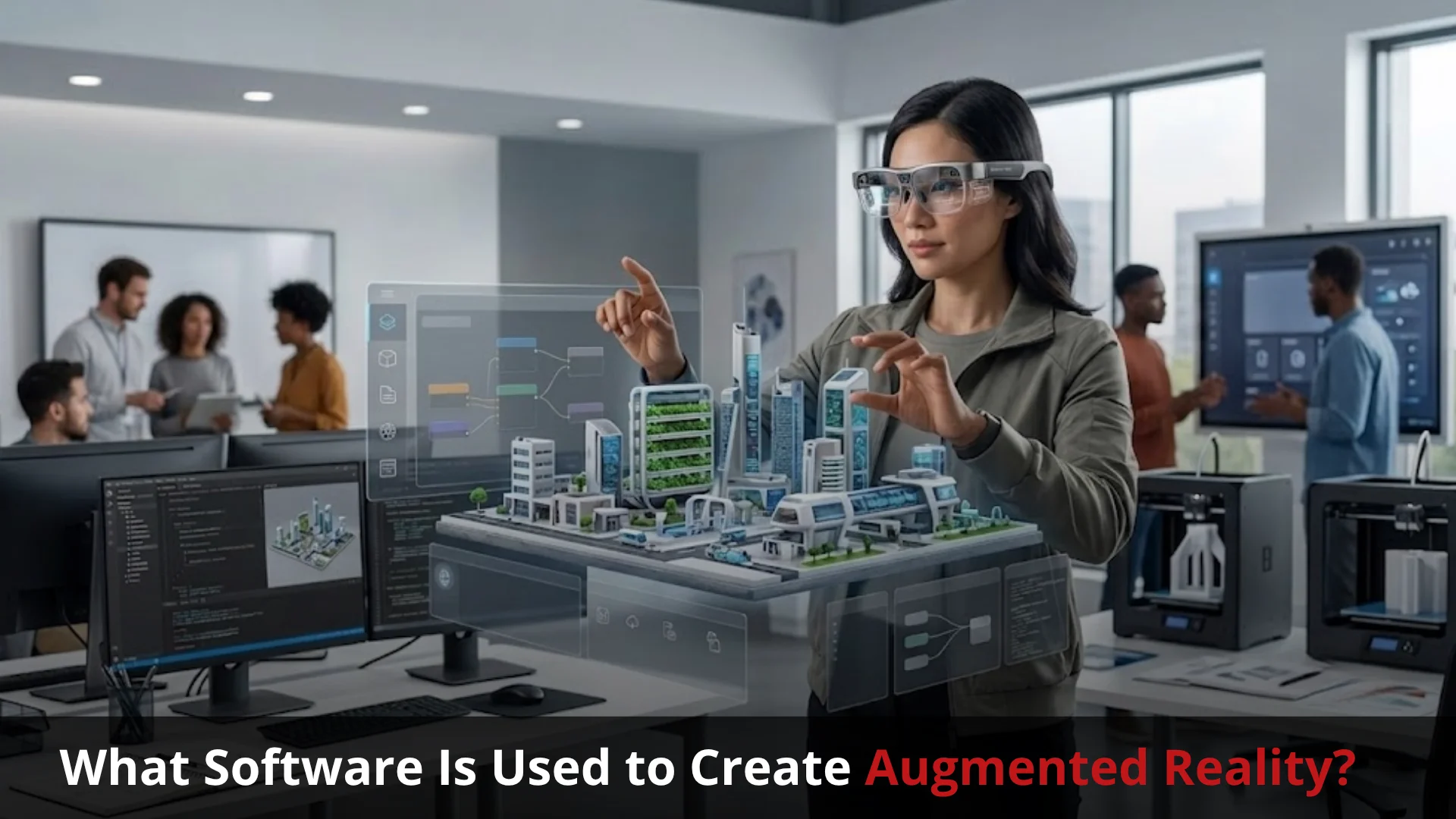
What Software Is Used to Create Augmented Reality?
The most popular software applications to develop AR media are Unity AR Foundation, Unreal Engine, Vuforia, ARKit, ARCore, 8th Wall, and EasyAR
The various platforms have different functions or usage. Some can handle cross-platform apps; others are geared toward native mobile apps, browser-based AR, advanced graphics, or object recognition.
Unity AR Foundation for Cross-Platform Development
Unity AR Foundation enables AR applications to be developed for various platforms from a single Unity project. It integrates seamlessly with native tools like ARKit and ARCore
Key Features
App development for Android and iOS.
Detecting planes, anchors, and tracking environment.
Support for Unity integration with 3D tools and C scripts
Unreal Engine for High-Fidelity AR Experiences
The Unreal Engine is typically employed in AR projects that demand realistic visuals and intricate 3D environments
Key Features
Real-time 3D graphics.Real-Time 3D graphics.
Visually program interactive features with Blueprint.
Support for mobile AR and complex simulations
Vuforia Engine for Image and Object Recognition
Vuforia Engine is intended for experiences that require the recognition and identification of images, packaging, machinery, or other physical objects.
Key Features:
Image Target recognition
Model Target and object tracking
Unity and native application support
Apple ARKit for Native iOS Applications
Apple ARKit is an augmented reality (AR) development framework for iPhone and iPad applications
Key Features
Move a character and track the actions taking place in the scene.
To detect the type of plane and understand the scene.
Supported devices include Face, image, and depth tracking.
Google ARCore for Android AR Development
Google ARCore offers primary AR development tools for supported Android devices.
Key Features:
Stability and awareness of the environment
Estimation of light and depth measurements
Anchors, image recognition, and location-based AR
8th Wall for Browser-Based WebAR
8th Wall provides tools for creating augmented reality experiences that run through a web browser.
Key Features:
Browser-based AR without app installation
Image, face, and world tracking
Support for JavaScript and web-based 3D frameworks
EasyAR for Flexible and Cost-Conscious Projects
EasyAR is an augmented reality SDK that is suitable for AR prototype development, small teams, and commercial AR projects, mobile app development, etc., across platforms.
Key Features:
The identification of images and 3D objects.
Tracking and mapping on the surface
Multi-platform development with Unity, Android, iOS, and native development.
Augmented Reality Software Comparison
The main purpose of each platform is compared below. Availability and licensing may vary, and be careful to review these terms before any commercial project.