TL;DR
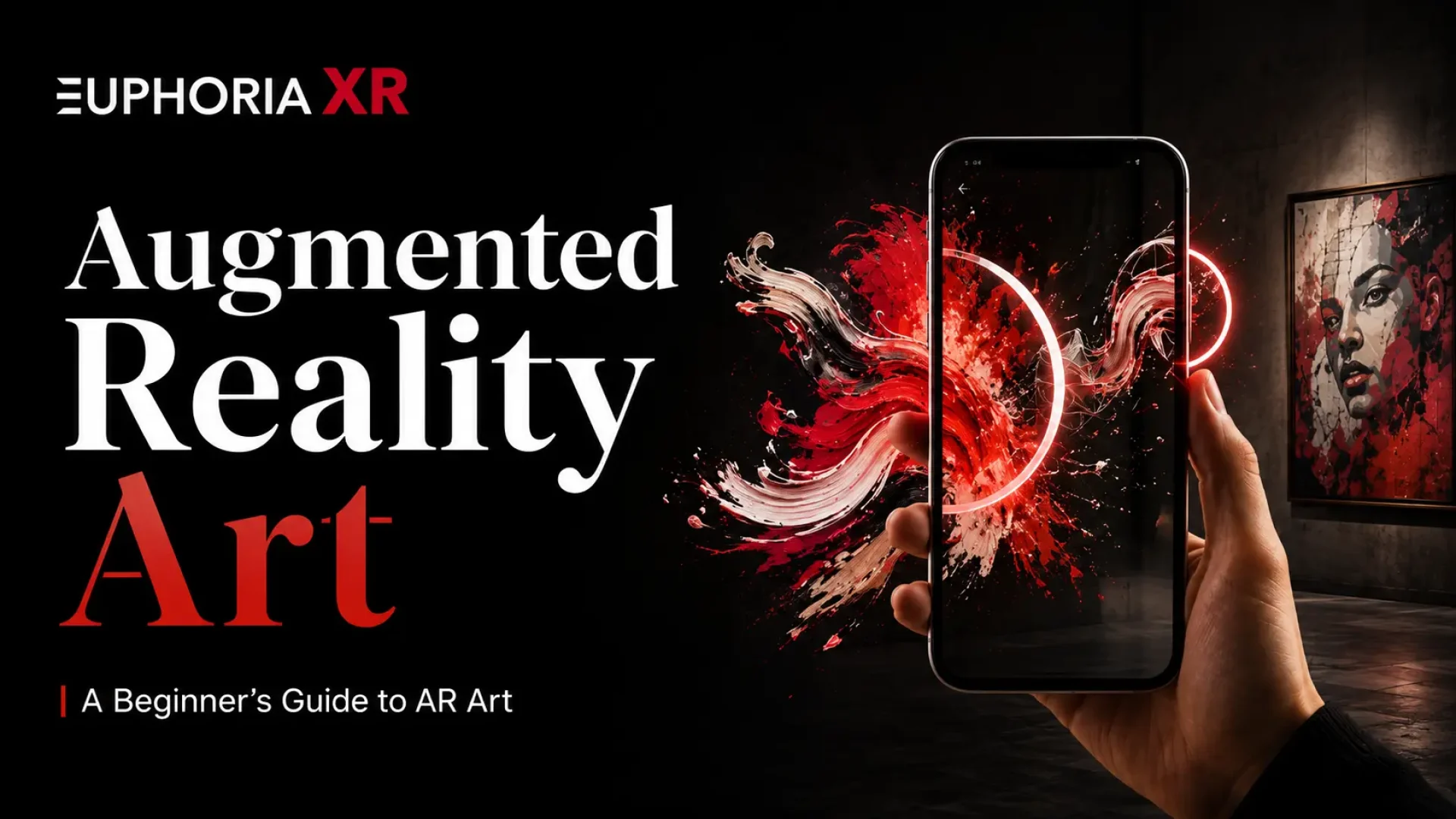
Augmented reality art blends real-world artwork with digital elements like animated graphics, sound, video, text, and 3D objects. AR art is typically displayed via a mobile phone, tablet, web browser, or AR-capable device. It can be applied to painting, murals, illustrations, galleries, public areas, and interactive installations. Typically, creating AR art means choosing an artwork, overlaying a digital layer, picking an AR technique or application, trying the art, and publishing the content.
A painting hangs quietly on the wall. You then shoot it with your phone.
The clouds begin to move. The image on the screen is of a bird flying. Music starts playing. The painting has hidden elements surrounding it that appear to be parts of a story.
No art changes occur at the physical level. The only thing that has changed is what you’re looking at on the device.
That’s the Augmented Reality art.
AR provides artists with the opportunity to overlay animated elements, voices, videos, objects, and interactive content onto real or virtual works. Augmented reality and art can be as simple as making a drawing move, or as complicated as simply placing a virtual sculpture inside a city square.
Unlike VR, there is no need to leave the real world when using AR. It augments your current sense of place with digital elements.
What is Augmented Reality Art?
Augmented reality art is art created in augmented reality that serves as a means to add digital content to a real object, image, or physical space. Typically, the added layer is viewed by using a smartphone, tablet, web browser, or an AR device. The digital information can be animation, video, sound, text, visual effects, or 3D objects.
AR differs from VR by not taking the place of the real world. It will incorporate digital components into what’s already there. For instance, a painting could start moving when scanned, or a virtual sculpture could be seen inside of a real gallery.
How Does Augmented Reality Art Work?
AR Art relates digital art to an existing physical artwork, object, surface, or actual space. The AR system sees the trigger and, overlaying the real-world view, shows digital content like animation, sound, video, text, or 3D objects using a compatible device.
Typical ways of estimating AR are:
Image tracking: Asks players to remember a painting, poster, print, or a mural that upsets them.
Plane tracking: Puts virtual objects onto any planes that are detected on the ground, wall, or table.
Location-based AR: Bases virtual objects on real-world space (outside or public)
Spatial tracking: Maintains a digital object’s frame of relative positions, as the viewer walks around them.
In some cases, the viewers will only be able to view the digital layer, but in other cases, they can engage with the layer by tapping, moving closer to the artwork, or walking around the artwork.
Real-World Examples of Augmented Reality Art
Individual artists, museums, public-art projects, and galleries have already started using AR to introduce motion, sound, interaction, and digital objects into the real world. Here are examples of each type of AR art in action.
Apple [AR]T Walk
[AR]T Walk is a collection of location-based AR artworks located in public places around the world in cities such as New York, London, Paris, San Francisco, Hong Kong and Tokyo, created by Apple and the New Museum. These artists, such as Nick Cave, Cao Fei, Carsten Höller and Pipilotti Rist, produced a range of digital pieces, where an iPhone application brought the artwork to life for viewers in specific urban locations.
Deep Field by Tin&Ed
Australian artists Tin Nguyen and Edward Cutting, or “Tin&Ed,” developed Deep Field, a sound and interactive AR experience where participants were asked to imagine plants and bring their ideas to a shared AR environment. It was exhibited in the Art Gallery of New South Wales, the Getty Center, and then internationally.
Nychos’ AR T-Rex Mural
A large AR-enhanced T-Rex mural was created by Oakland artist Nychos in Oakland and later enhanced using Artivive’s AR tools. The dancer looks like it is making a move and roaring while visitors scan it. In the project, the transformation or modification of the mural was avoided; rather, the animation was linked directly to the wall that the mural is on.
Types of AR Art
AR art can manifest in various ways, such as animated murals or digital sculptures displayed in public locations. This type will vary depending on the physical artwork, digital layer, method used to track the movements, and the way in which the viewer interacts with the experience.
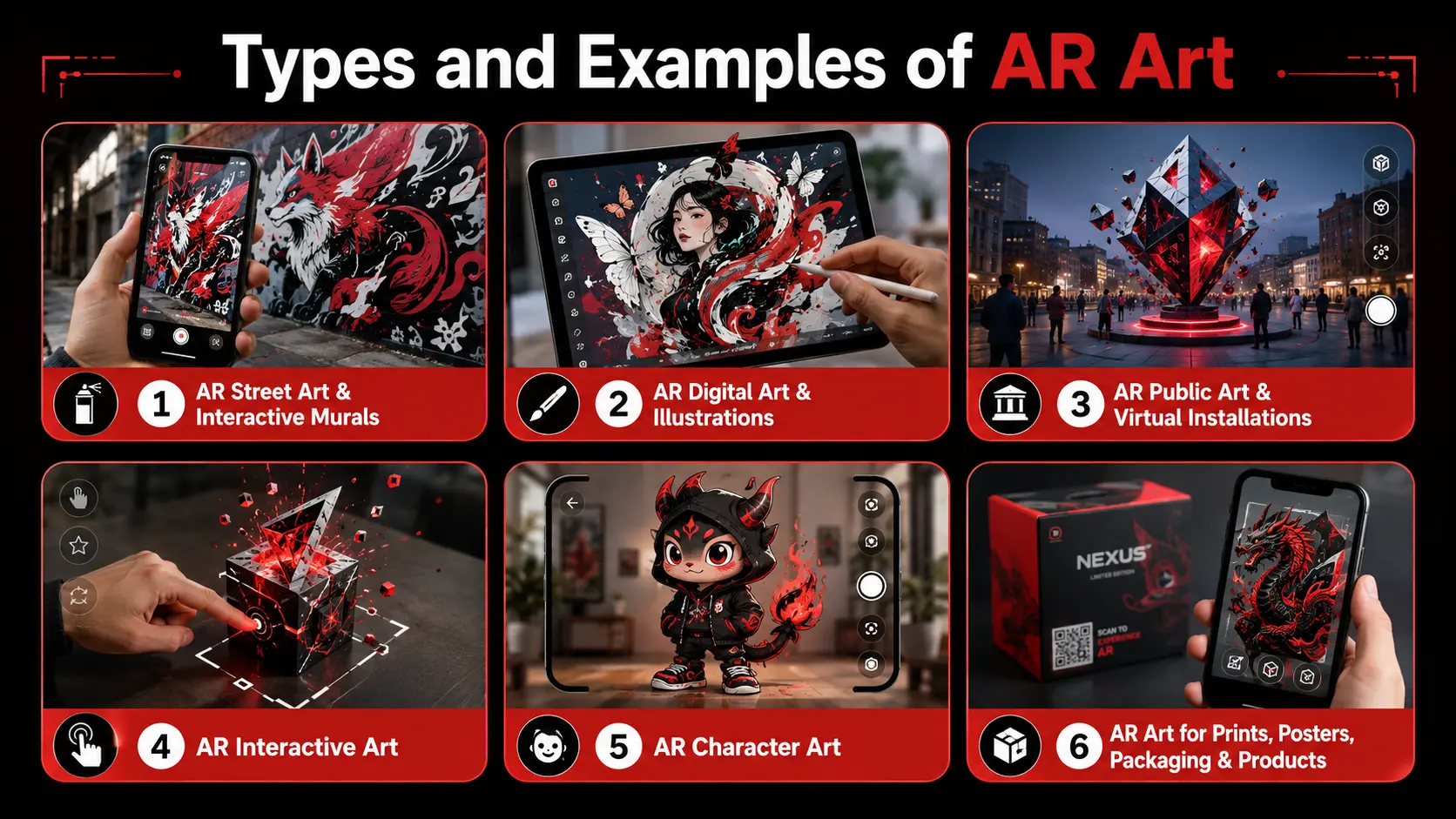
AR Street Art and Interactive Murals
AR street art incorporates digital elements to enhance murals, graffiti, and other public art forms. The artwork can be viewed through a scanner for animation, sound, characters, hidden messages, or additional layers of visual content.
AR Digital Art and Illustrations
AR is capable of being added to drawings, photos, posters, and digital illustrations. When displayed from an AR-enabled device, a flat image can start animation, video, audio, or 3D objects.
AR Public Art and Virtual Installations
AR public art involves putting digital artwork in a real-world space like a park, street, building, or a public square. The experiences can vary from virtual sculptures to location-based installations, and even digital items that only materialize in the AR experience.
AR Interactive Art
Interactive AR artwork engages the viewer. The user can touch objects, walk around them, get closer, make decisions, or elicit sounds and movements, and thus become an active part of the artwork.
AR Character Art
AR character art brings illustrated, painted, or 3D characters into the viewer’s environment. Characters can walk, talk, and respond to being tapped or walk out of the original artwork.
AR Art for Prints, Posters, Packaging, and Products
Artists and designers can create AR experiences using prints, posters, postcards, books, clothing, packaging, etc. You can see animation, product data, stories, video, or interactive content when you scan the item.
Suggested Read: https://euphoriaxr.com/chalk-augmented-reality/
Augmented Reality Art vs Digital Art vs VR Art
Augmented reality, digital art, and virtual reality are all forms of digital art but are experienced differently. AR engages the viewer with real-world elements and enhances them with digital elements. Artwork digitally can not be considered to be actually in front of you, but VR artwork typically immerses a person in a fully virtual world.
How to Create Augmented Reality Art?
Creating augmented reality artwork is what involves projecting an actual or digital artwork coupled with an AR layer that the viewer can gain access using a suitable device. Typically, selecting a trigger, generating digital assets, choosing appropriate AR technology, developing the experience, testing its efficacy, and finally publishing it.
Choose the Physical Artwork or AR Trigger
Best practice is to first determine what you want to trigger, or attach, to the AR. It could be a painting, drawing, photograph, mural, poster, sculpture, QR code, physical surface, or a real-world location.
Decide What Digital Layer to Add
Decide what the viewer sees and hears in AR. Animation, video, audio, text, visual effects, 3D model, or a combination of multiple elements can be added.
Design the Interaction
Choose how people are going to experience the artwork. They may move and scan it, or tap it, or rotate objects, or walk around the scene, move closer to scan it, or trigger different actions.
Choose the Right Type of AR
Choose the appropriate AR technique for a project. Location-based AR is suitable for outdoor and public art, surface-based AR can be used for 3D objects to be positioned in real locations, and image-based AR is suitable for painting and posters.
Create the Digital Assets
Create images, animation, video, text, and 3D models for the experience. Maintain optimal file sizes for faster loading of AR artwork and smoother performance on mobile devices.
Choose an Augmented Reality Art App or Platform
Choose the tool depending on the project and its complexity. The potential range of formats, from no-code AR platforms to native applications to custom AR development, can be used for beginners, or advanced projects can take the form of WebAR or native applications.
Build and Test the AR Experience
Link the physical artwork to the digital content and try out the whole experience. Examine tracking, loading time, screen compatibility, lighting, viewing distance, interaction, and screen sizes.
Publish and Share the Artwork
Decide the method for the AR artwork to be accessed, such as an app, QR code, WebAR link, custom app, or location-based trigger. Make access instructions concise and simple.
Augmented Reality Art Apps and Tools
When choosing an augmented reality art app, you have to keep the type of art you’re interested in mind when creating it. Some tools provide simple artwork overlays, and others boost 3D objects, WebAR, advanced tracking, and custom interactions.
Artivive has been created primarily for artists and galleries. Artists can upload a work of art and pair it up with animation or other digital elements. It can then be enjoyed either via Artivive WebAR or via the Artivive app.
Kivicube is a no-code WebAR platform that accepts image tracking, surface tracking, spatial tracking, and various other techniques of AR. Experiences can be shared without users downloading an app, just by providing them with a link or a QR Code.
Advanced projects requiring custom 3D graphics, interactions, or dedicated AR applications will be better suited to Unity and Unreal Engine. While Unity supports AR development with tools like AR Foundation, Unreal Engine supports AR and XR development with various devices and platforms.
If you’re looking for simple AR art, a no-code tool might suffice. For larger installations, interactive exhibits, or custom-made AR art design projects, a dedicated AR application or custom development might be required.
How to Choose the Right AR Technology for Art?
The appropriate AR technology for the artwork, its context, and intended audience can vary depending on the desired level of interaction
Consider:
Artwork type: Use image tracking for paintings, posters, prints, and murals.
Environment: Plane tracking is good for virtual sculptures on floors, walls, or other surfaces.
Location: Trigger AR events with a location, such as parks, streets, buildings, and public installations.
Content complexity: Simple animation may work with a no-code AR platform, while advanced 3D interactions may need Unity, Unreal Engine, or custom development.
User access: WebAR offers less friction when users download the application, and native apps offer more advanced features.
Device compatibility: Ensure that the experience is presented on your user’s device, such as a phone, tablet, browser, or AR device.
Performance: Optimize video, 3D models, and effects for quicker download speeds without sacrificing smooth tracking.
If your AR art is simple, you may be able to utilize a no-code platform. In some cases, implementation of custom AR development may be necessary for larger exhibitions, public installations, or very interactive scenarios.
Benefits of Augmented Reality for Artists and Galleries
Combining art with AR technology opens up new possibilities for artists and galleries to augment, explain, and present art without affecting the original artwork itself. It can provide for a more interactive exhibition experience while providing additional context for visitors to the exhibit using their own resources.
Enables further storytelling: Artists can place animation, audio, video, text, or 3D around a physical artwork.
Makes interactive experiences: You can scan, tap, move, or view in more ways than one by viewing a piece.
Adds information without crowding the space: Galleries can show artist notes, translations, background stories, or videos through AR.
Spreads art beyond the gallery walls: AR art can be displayed in parks, on streets, in public spaces, or in a temporary setting.
Keeps physical artwork unchanged: Artists can add digital layers without changing the original painting, print, mural, or sculpture.
Enables new exhibition formats: Galleries can combine physical and virtual sculptures and digital installations in addition to location-based formats.
Encourages deeper engagement: Interactive elements can give visitors more reasons to spend time exploring an artwork.
Challenges of Creating AR Art
As AR brings in new creative possibilities, it also introduces technical and design challenges as well. The experience should be successful on the device and maintain the focus on the image.
AR compatibility: Devices might not have the same AR capabilities.
Tracking issues: Digital material may end up losing its location because of poor lighting, still photos, or rapid motion.
Large file sizes: Heavy videos and 3D models can increase loading times and reduce performance.
Internet connections: Certain AR experiences might require an internet connection to access digital material.
Download friction: Users might not want to download an app when they come to see a single artwork.
Testing is time-consuming: AR should be tested from various devices, lighting angles, viewing angles, and distances.
Too much AR can distract: Do not let the digital effects take the place of the artwork in any way.
Continuous maintenance: Apps, browsers, devices, and AR platforms can evolve, and some projects require updates.
The Future of Augmented Reality and Art
The future of augmented reality and art is likely to be more interconnected, practical, and present with actual locations. Artists can already register virtual sculptures in public places, animate real paintings, and create exhibitions combining physical and virtual content
WebAR could facilitate ease of access to certain experiences as viewers do not need to download an app to open AR. Enhanced spatial observation and depth perception can also assist digital objects to be more integrated into rooms, streets, and galleries.
AI tools can also help artists develop 3D models, animation, audio, and more quickly. Meanwhile, there’s also a possibility that AR art will become less reliant on holding a phone up thanks to wearable and spatial devices.
The technology that is used will continue to evolve, but the underlying principle should remain constant. AR should enhance the artist’s story, experience, or reveal something that may not be possible with physical art.
Key Takeaways
Augmented reality art is when real artwork or spaces are enhanced by digital elements.
AR art can be animated, audio, video, text, effects, and 3D objects.
The artists can work with paintings, murals, illustrations, public artworks, prints, and products.
The image-based AR type is appropriate for posters, paintings, and flat artwork.
Surface-based AR can overlay virtual art on the surface of physical areas.
Location-based AR can be used to generate digital installations in streets, parks, and public spaces.
No-code AR applications and platforms can be utilized by newbies for straightforward tasks.
Some larger projects may require WebAR, native apps, or custom AR development.
A well-designed AR system maintains the focal point of the experience on the artwork.
Testing is important for tracking, loading speed, lighting, and device compatibility.
Final Thoughts
Augmented reality art is an opportunity for artists to introduce motion, sound, interaction, and digital layers into physical art or real spaces. A simple project could be an animated drawing, or a larger experience could be an interactive gallery, or a virtual public installation. The key to the best AR art is to have a good idea in the first place, and then apply the proper technology to enhance that idea’s execution and experience.
Frequently Asked Questions (FAQs)















![Top 50 (CTA) Call to Action Synonyms That Drive ROI & Conversions [+ Examples] - Euphoria XR](https://euphoriaxr.com/wp-content/uploads/2026/02/Top-50-CTA-Call-to-Action-Synonyms-That-Drive-ROI-Conversions-Examples-Euphoria-XR-1024x576.webp)