













Halloween Filters for Fashion and Costumes
With AR, users can add digital costumes without having to wear them in real life. A Halloween filter could be used to make skeleton bodies, monster masks, witch hats, vampire clothes, flying wings, capes, or fantasy accessories.
Face tracking is good for masks, and headwear and body tracking allow for objects to be tracked throughout the user’s body. A fashion or costume company might utilize this to get customers to experience a number of Halloween looks before making the selection. 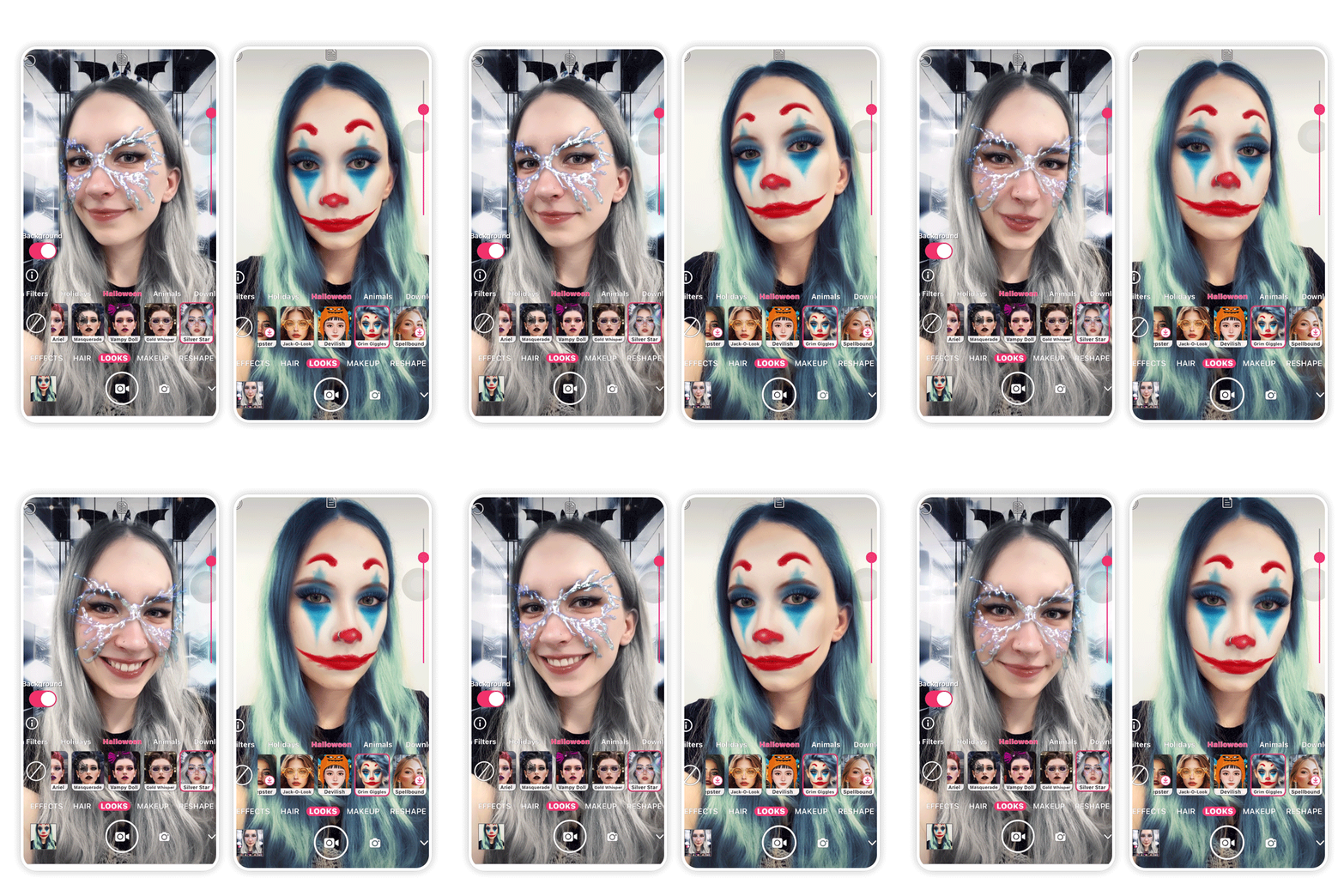
Halloween Filters for Food and Beverage Brands
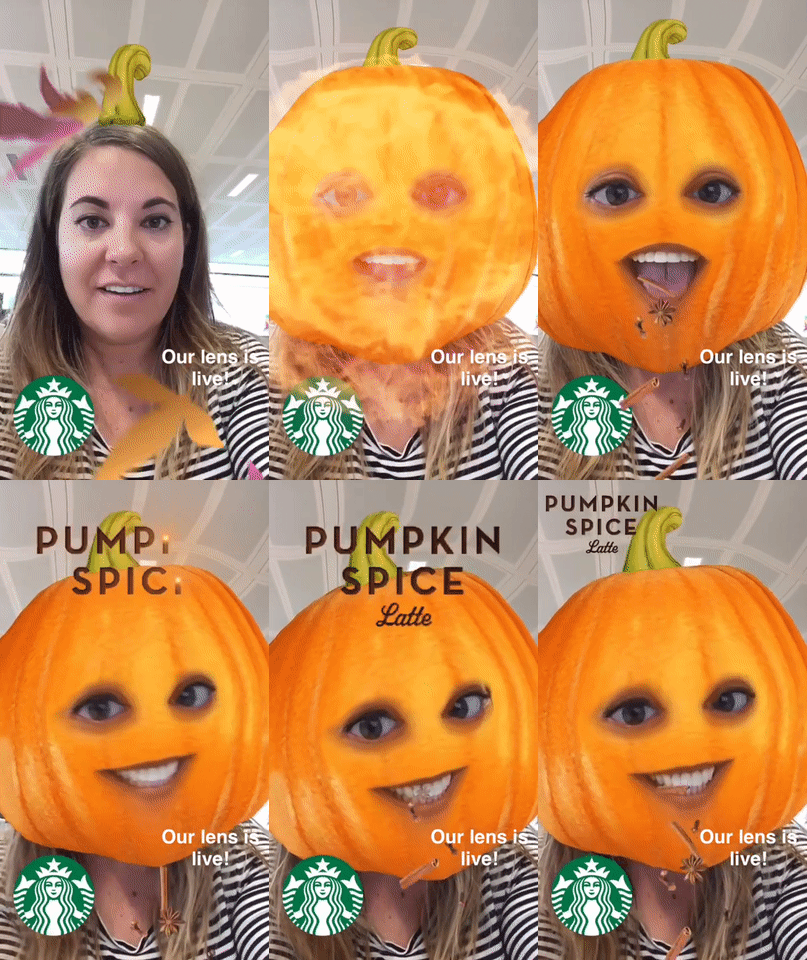
Brands can create Halloween experiences around products, packaging and simple games. A drink might turn the user into a vampire, while a candy brand could create a trick-or-treat or candy-catching experience.
Packaging can trigger an AR experience. Scanning a product or QR code could reveal a ghost, character, hidden message, or mini-game. The best concept integrates the product into the experience rather than using a logo for an unrelated filter.
Halloween Filters for Gaming
Gaming filters work best when users understand the goal immediately. A Halloween AR game can have users collecting candy, avoiding ghosts, smashing pumpkins, playing a game with a monster, or searching for hidden items.
Social platforms work best with shorter sessions of play, so that the user can start quickly and replay easily. It can also serve as a motivator for continued play as people strive to beat their own score or compete with friends

Halloween Filters for Entertainment and Media
Film studios, streaming platforms, and game publishers can use AR to bring characters and story elements into the user’s camera view. The filter could turn the user into a horror character, add a monster to their bedroom, or mimic a haunted environment.
Jump scares, digital portals, character make-up, and interactive clues can all link the filter to a new release. It works better when it incorporates elements of the film, show, or game that they are familiar with.
Halloween Filters for Retail and E-commerce
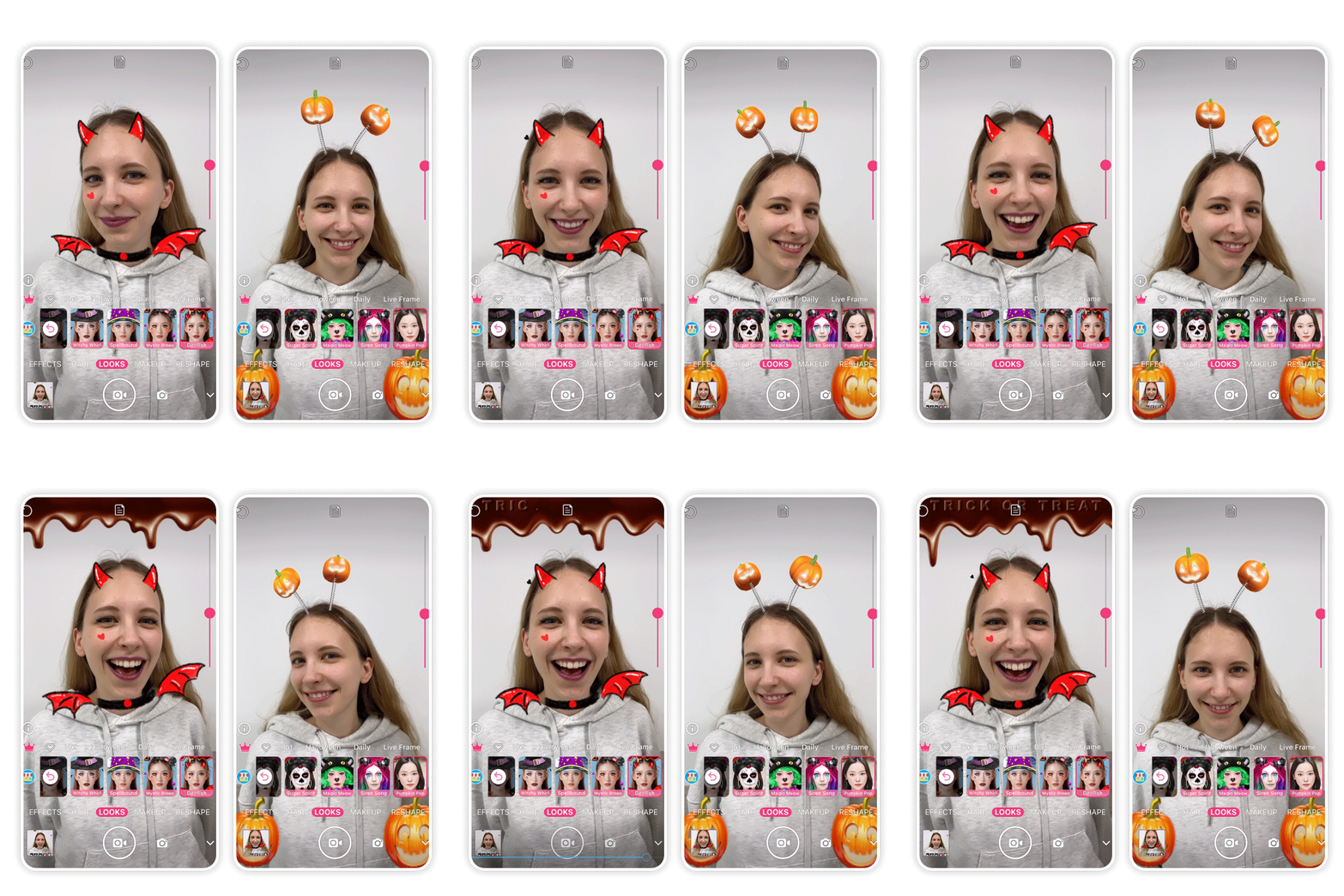
Retailers can use Halloween AR to make shopping more interactive through digital interaction. Alternatively, users may experiment with different virtual costumes, masks, hats, and accessories, or effects before heading over to a product page.
Another thing AR can do is to link a physical product, display, or QR code to a Halloween-themed AR experience. The shopping element should stay secondary to the experience. The experience should feel fun before it feels promotional.
Halloween Filters for Events and Location-Based Experiences
Halloween AR can put digital elements in the real environment, like haunted attractions, theme parks, universities, stores, festivals, and museums and malls. Virtual ghosts, clues to gather, digital characters to encounter, or an AR challenge to accomplish are among the activities that may be found.
Location-based experiences are effective, especially at driving movement throughout a space. They can add another digital layer without changing the physical venue or activities.
Halloween Filters for Social Media Campaigns
Social media filters should be set up to deliver results people would want to record and share. Examples of popular versions include monster transformations, Halloween face painting, randomizer filters, reaction effects, score games, and short-form challenges.
The user should not only be exposed to brand graphics but also be an integral part of the content. People are more likely to share an effect when the final result is surprising, personal or visually distinctive.
Related: https://euphoriaxr.com/top-ar-halloween-filters-in-2025-for-selfies/
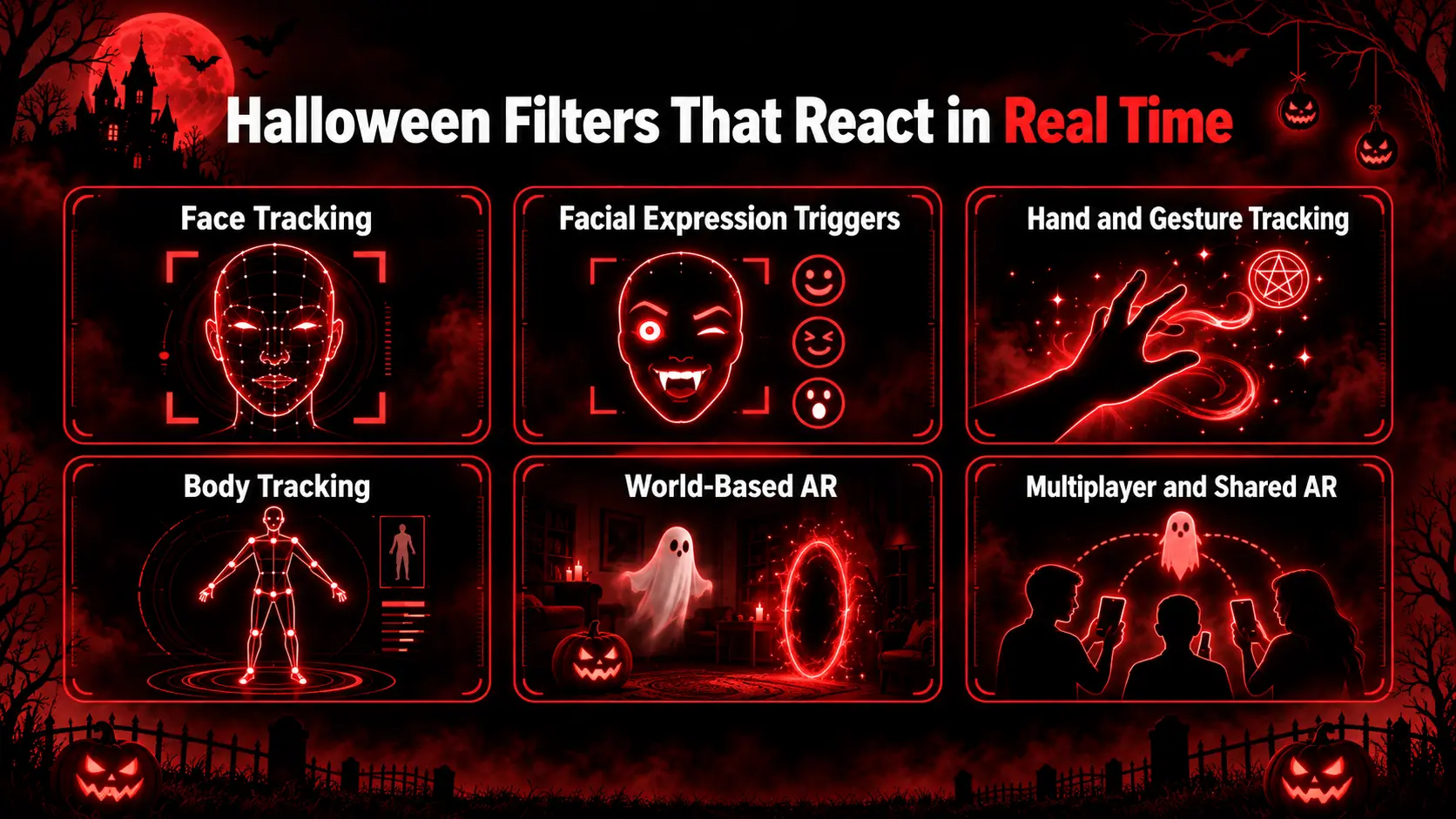
Halloween Filters That React in Real Time
The Halloween filter reacts as the user moves, smiles, gestures, or changes position in real time. This is a more dynamic experience than a static digital overlay.
Face Tracking
Face tracking identifies the human face and tracks its position in real time. This feature enables makeup, masks, fangs, horns, scars, hats, and other 3D elements to remain in sync with the person’s movement around the room.
With this technology, it can be useful for Halloween makeup and character effects, as the digital content will move naturally along with the head, rather than remaining still on the screen.
Facial Expression Triggers
An AR effect can have multiple parts that can be triggered with facial expressions. Smiles, blinks, mouth movements, or head movements can trigger animations and character changes.
For instance, a vampire filter might look normal at first. When the user opens their mouth, fangs appear, and their eyes begin to glow. This simple little interaction provides the user with something to explore.
Hand and Gesture Tracking
Hand and gesture tracking allows users to control AR effects with their hands. The person could raise a hand to perform a spell, point to a ghost, wave some smoke, or even manipulate items within a mini-game.
It can be useful for anything magical, fantasy, or gaming-related. It also decreases the tapping stress on the screen for people using it.
Body Tracking
Body tracking enables digital effects to track more than the user’s face. Add skeletons, wings, costumes, monster bodies, animated shadows, or complete character effects that move with the person and can be added with a Halloween filter.
This is particularly helpful for fashion, costume, and dance content where the whole body comes into play. The experience can make them feel like a complete character rather than simply wearing a digital face mask.
World-Based AR
World-based AR places Halloween-themed digital content inside the user’s real environment. A haunted portal, the appearance of ghosts, pumpkins, spiders, or tombstones will seem to hang within the room.
Greater immersion is achieved here because the environment in the user’s real world becomes part of the story. A familiar room can suddenly look like a haunted space.
Multiplayer and Shared AR
Multiplayer and shared AR enable more than one user to participate in the same experience. Users can participate in a ghost hunt, scavenger hunt, team challenge, or a mini-game about Halloween together.
This format is suitable for campaigns, events, or groups that are based around social participation. It can make an individual camera effect into an activity that can be shared with others.
Best Platforms for Halloween AR Filters
Choosing the right platform will depend on your campaign objective, your audience, and the desired interaction. Some platforms are social sharing-centric; others offer brands control of the social sharing experience.
Snapchat Halloween Filters
Snapchat is still one of the most successful social AR sites. Lens Studio also includes support for face-based and world-based effects and can be used for Halloween make-up, masks, monster transformations, ghosts, games, and interactive environments.
It is also effective when sharing is a primary objective, as the user can experiment, document, and share the effect in one place. This means that Snapchat Halloween filters can be helpful in brand social campaigns and in creating user-generated campaigns.
YouTube Shorts Halloween Effects
The YouTube Effect Maker lets eligible creators create effects they can apply during the video recording of Shorts. These experiences can be represented as visual filters, 2D and 3D objects, head-controlled interactions, and game-style mechanics.
These can be employed for character effects, eerie visual transformations, Halloween challenges, mini-games, and more for Halloween. This comes in handy for a campaign based on creator video content.
Instagram Halloween Filters
The options for custom Instagram AR filters changed after Meta shut down Spark AR for third-party creators in January 2025. Using the AR effects from third-party developers will no longer be possible as the Spark AR platform was closed by Meta in January 2025.
Meta-owned effects are still there, and now there’s no longer a way for brands to create their own Instagram AR filters. Businesses wanting custom Halloween AR should now consider other supported options such as Snapchat, YouTube effects, or WebAR.
WebAR Halloween Filters
WebAR allows everyone to enjoy an AR experience directly from a QR code or campaign link, in a supported browser. Brands can develop Halloween experiences without relying on a social media platform.
WebAR is able to cover face effects, AR games, haunted portals, digital characters, product packaging, and event experiences. It’s also going to be able to link directly to a product page, campaign landing page, form, or owned content.
Suggested Read: https://euphoriaxr.com/ar-halloween-costumes-experiences-ideas/
What Makes a Halloween Filter Shareable?
A shareable Halloween filter gives users a clear reason to record, replay, or share the experience. The best effects are easy to understand and are visually strong and fun within the first few seconds.
Key elements include:
Clear concept: Users should get a sense of what the filter does in a few seconds.
Strong visual change: The result should look noticeably different from a normal camera view.
Surprise: Jump-scares, reveals, and unexpected changes increase reactions.
Personalization: Randomizers, character results, and custom outcomes feel more personal.
Interaction: Gestures, expressions, games, and movement improve the experience.
Replay value: Varying results, scores, or outcomes lead to another attempt
Shareable result: The end image or video should be compelling enough to share.
Simple experience: Avoid long instructions or too many steps.
How Halloween AR Filters Are Created
Making a Halloween AR filter begins with a simple concept and then builds on the tracking as well as the visuals and interactions.
The steps to the basic process are:
Define the concept: Decide what the user will see or do.
Platform selection: Pick Snapchat, YouTube Shorts, WebAR, or other supported AR platforms.
Design the assets: Design 2D graphics, 3D models, animation, sound, and brand pieces.
Select a tracking solution: It depends on the concept: face, body, hand, image, or world tracking.
Add interaction: Link taps, gestures, facial expressions, movement, or timers to the effect.
Test the filter: Test tracking, lighting, loading time, device performance, and usability.
Publish and measure: Share and track views, plays, shares, interactions, or conversions.
It’s always better to have a simple idea than an effect with too many features.