Often, industrial training requires busy machines, teaching with experience, and safe access to hazardous working spaces. That renders it hard to learn and rehearse.
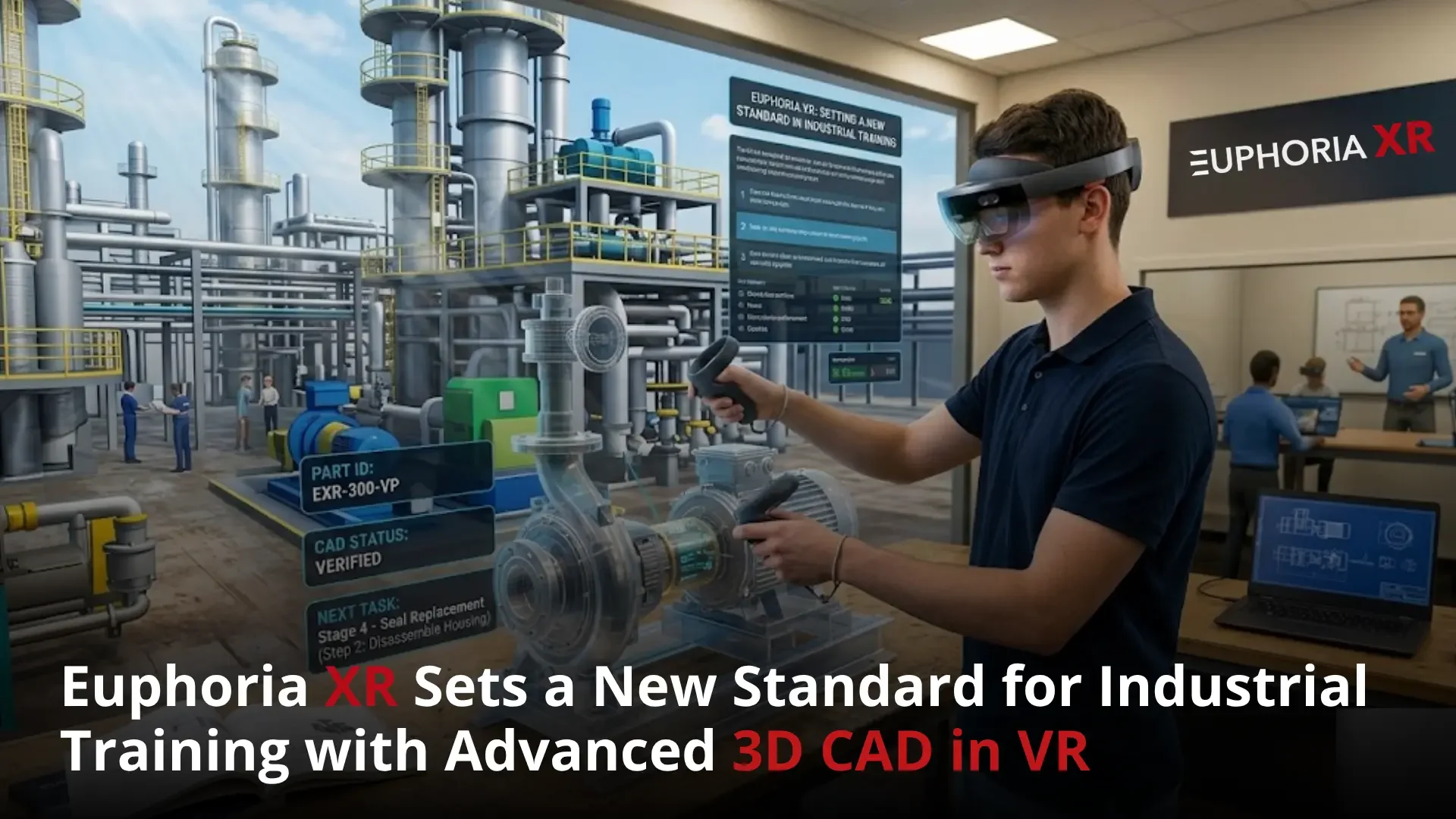
3D CAD in VR turns the starting point. It’s possible to use digital models of the machines, including real procedures and interactions, and then develop virtual reality training environments to help workers practise before touching real equipment.
The highest quality industrial training projects created using CAD not only have a model to be displayed, but they also have a lot more. They add equipment behaviour, tools, safety checks, feedback, assessment, analytics, safe access, and an update plan.
The depth of experience at Euphoria XR with custom VR development, VR training simulations,3D environments, hardware planning, deployment, and support. A technical review is still necessary for every industrial project to ensure that the CAD format, the extent of the simulations, the security needs, and target devices are correct.
How can you teach a new tech how to operate a machine if it can’t be stopped, mishandled, or repaired?
This is the force that works in modern industrial training. Well-trained manpower is a prerequisite for a plant. However, good gear is usually in use producing! High-risk procedures are not something that can be carried out at any time at all. An error can have negative consequences on a person, system, or production.
The problem is huge. In 2024, there were 2.5 million nonfatal injuries and illnesses that involved workers in the United States. In addition, the Bureau of Labor Statistics reported 5,070 workplace deaths in 2013. All these numbers may be from industries, but they demonstrate how taking practical safety and skills development in industries lightly is not okay.
This is where VR 3D CAD can come to the rescue. Making engineering data visible, tangible, accessible, and user-friendly. When used alongside pedagogical good practice, the model makes industrial training a form of training instead of a showcase of figures and images.
Looking to bring your industrial CAD models to life for training purposes?
Why does Industrial Training need a Better Approach?
Older industrial training may rely on the presence of equipment, training professionals, and safe access to productive spaces. These restrictions may limit time spent in practice, raise costs, and provide an uneven learning experience.
One of the better approaches is to provide workers with greater opportunities to practice procedures safely without using actual equipment.
Limited Access to Machinery
Production is generally made possible with the use of industrial machinery. It cannot always be prevented, or for staff training.
Workers might need to wait as many as or more hours until:
Planned maintenance periods
Production shutdowns
Instructor availability
Restricted access to areas
Other facilities’ equipment (not elsewhere classified).
With VR training, workers can know more about the machinery and practice the procedures without disturbing their daily work.
Expensive Operational Mistakes
When learning a new piece of equipment, new hires may make mistakes. Even basic errors could cause a machine part in real machinery problems, or just stop the manufacturing process.
The drawbacks of common training are:
Choosing the incorrect instrument.
A lack of information at a key juncture
To complete a process out of sequence or procedure
Errors in the operation of controls.
Failing to remove a component in time
Avoiding details of the warning
In industrial training simulations, workers can receive training to correct these errors without hurting physical equipment.
Unsafe Training Scenarios
There are times when it is too risky to perform the same things as during regular training. Workers can thus go into work without practising how to respond.
Computer-generated simulation can simulate events like:
Electrical faults
Unexpected equipment startup
Pressure release
Machine failure
Fire emergencies
Hazardous material exposure
Emergency shutdown procedures
Lockout and tagout situations
These scenarios can be repeated with the employees until they know the proper answer.
Inconsistent Training Quality
The quality of training may vary depending on the instructor, the shift, and the training facilities. Some may get intense instruction; others may just observe once.
Here are some possible reasons for instability:
Different instructor methods
Limited practice time
Busy production schedules
Outdated manuals
Language differences
Lack of standard assessment
Access problems with equipment
Virtual reality training provides all learners with the same approved procedure, instructions, and assessment criteria.
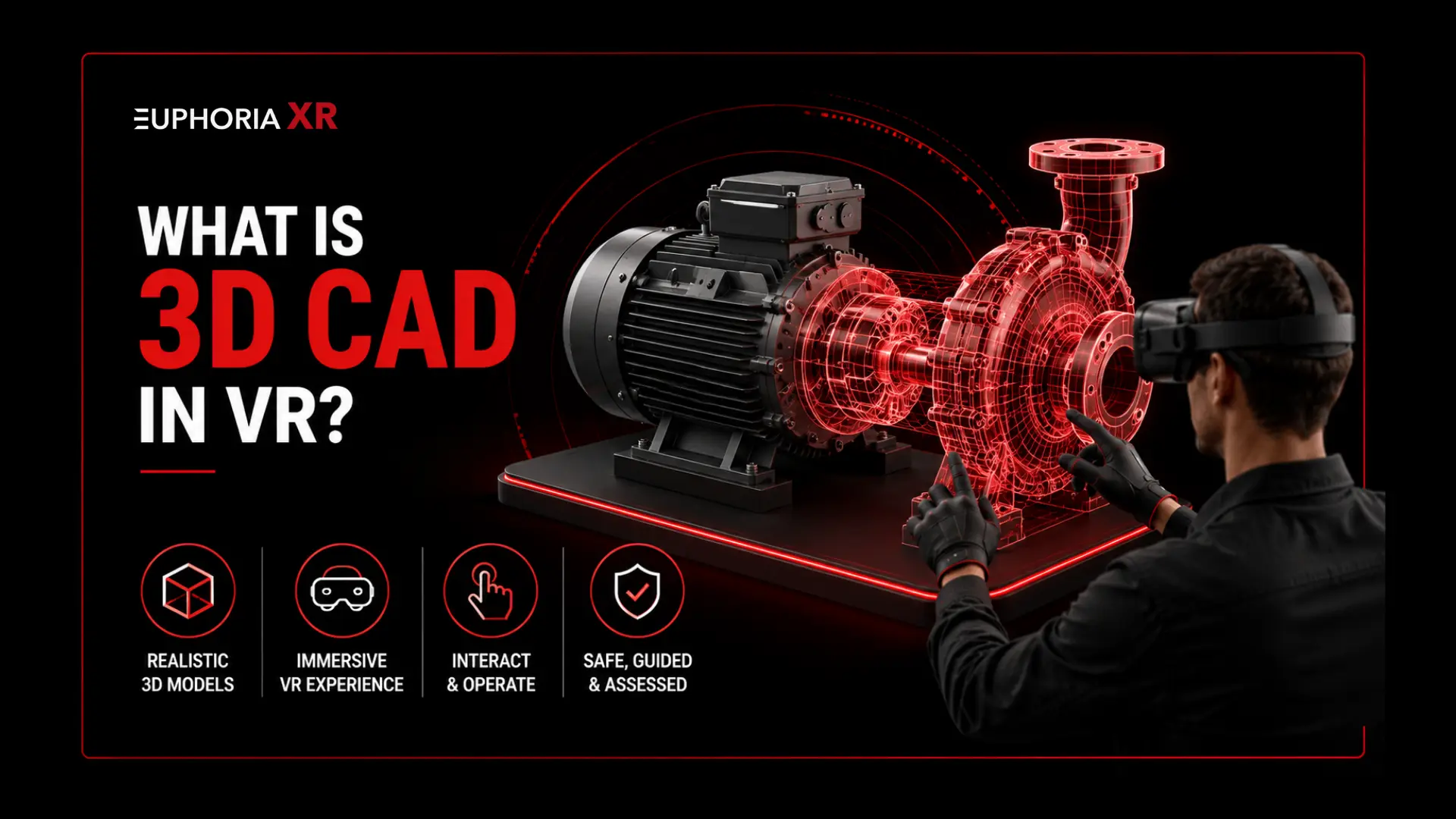
What Is 3D CAD in VR?
3D CAD in VR is the use of computer-aided design models inside an immersive virtual environment. It lets users emulate machinery, parts, assemblages, and industrial environments in proportion.
Any worker can move around equipment, examine internal parts, manipulate controls, disassemble parts, operate virtual tools, and perform procedures. The CAD model, when combined with such guidance, machinery behaviour, safety rules, and assessments, becomes the backbone of an industrial training simulation.
CAD Visualisation vs. VR Training
Project Team
Role in the Project
Operations
Oversees Daily Processes and Operational Requirements
Engineering
Provides Technical Expertise and System Design
Maintenance
Ensures Equipment Reliability and Ongoing Support
Health and Safety
Maintains Compliance with Safety Standards and Regulations
Training and Development
Creates Learning Programs and Improves Workforce Skills
IT and Cybersecurity
Manages Technology Infrastructure, Security, and Data Protection
Procurement
Handles Vendor Selection and Resource Purchasing
Legal or Intellectual Property Teams
Manages Contracts, Compliance, and Intellectual Property Rights
Frontline Operators and Technicians
Provide Practical Insights and Validate Real-World Workflows
How Does the CAD-to-VR Process Work?
CAD to VR process is yet another transformation that presents engineering models in interactive virtual space for further support in industrial training. Each will enhance the performance, accuracy, usability, and value of the model for students.
Review the Source CAD Files
The team verifies the file format, assembly size, quality of the models, hierarchy of the components, metadata, and update history. This review will assist in identifying what can be reused and what will require further treatment.
Select Training-Relevant Components
Only components required for the training task are chosen. This helps to keep the simulation ‘pure’ and ensures that any other elements do not have an impact on the simulation.
Clean the CAD Geometry
Duplication of parts, hidden surfaces, broken geometry, and unnecessary details are eliminated. Components can also be renamed and/or split for training use.
Reduce Model Complexity
A 3D model created for industry applications will include more detail than is needed for real-time VR applications. Polygon reduction, mesh simplification, hidden part removal, and level of detail models aid the simulation to run smoothly.
Preserve Important Model Structure
Part names, part IDs, subparts, and the model hierarchy are preserved. This allows the connection of instructions and interactions with the proper parts of the equipment easily.
Prepare Materials and Textures
Adjustments of materials involve making them look clear and realistic inside the virtual environment using machinery. It may also improve labels, warning signs, controls, and safety areas for better visibility.
Create Collisions and Physical Boundaries
The collision shapes determine whether surfaces will be solid or allow users to interact with them. They stop hands, tools, and parts from moving in the wrong way in the equipment.
Add Machinery Behaviour
This includes programming of moving parts, switches, valves, control panels, gauges, joints, and safety systems. The level of realism needed will vary according to the training objective for the industry.
Map the Real Procedure
The approved operating or maintenance procedure is broken up into distinct steps. Every step provides the conditions for the required action, the state of the tools and equipment, and the condition when the step is completed.
Add Guidance and Feedback
Instruction is reinforced with visual cues, text cues, verbal cues, arrows, warnings, and corrective cues to clarify the correct procedure. Guidance can be reduced as the learner becomes more confident.
Build Training Modes
Learning occurs at various stages, and each mode facilitates a different process. They can involve demonstration, guided practice, independent practice, and assessment.
Validate with Subject-Matter Experts
The simulation is examined by operators, engineers, trainers, and the safety team. They acknowledge the accuracy of equipment, terms, procedure order, and safety procedures.
Test and Deploy
The last simulation is stress-tested for performance, comfort, interaction accuracy, loading speed, and training clarity. It is then deployed to VR hardware and training sites to be selected.
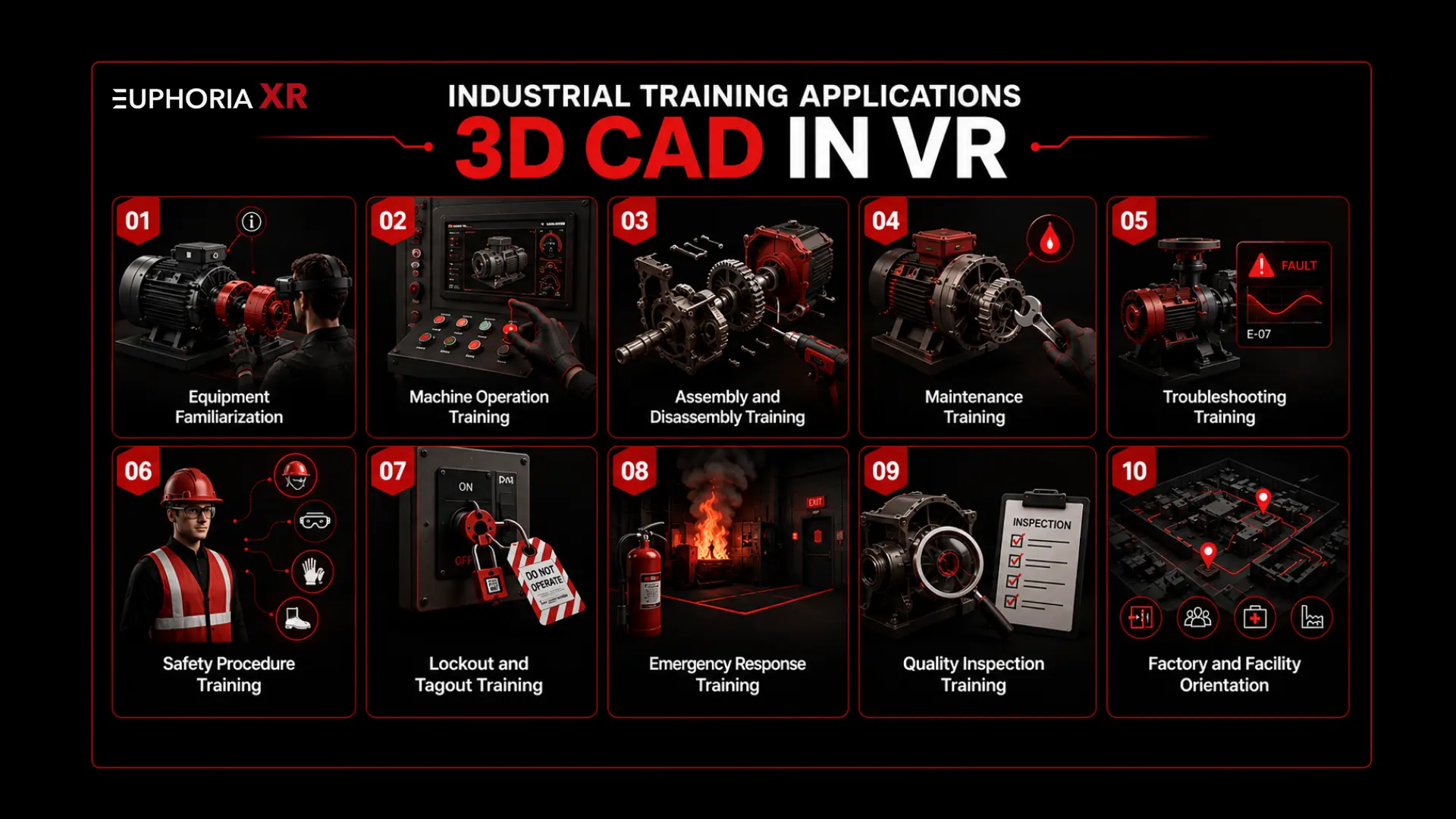
Industrial Training Applications for 3D CAD in VR
VR 3D CAD (Computer-Aided Design) software has several potential applications in the areas of industrial and manufacturing training. The same engineering competencies may be used across various work tasks, task processes, and levels of expertise.
Equipment Familiarization
Machinery is studied in the workshop before the production area. They can understand what is located where and how to operate the various controls, access panels, safe areas, and inspection areas.
Machine Operation Training
Employees may be able to practice start-up, operation, monitoring, adjustment, and shutdown procedures. The simulation can even demonstrate the specifications of the machine while in use with various controls and settings.
Assembly and Disassembly Training
The learners will be able to practice the selection, sequence, and use of parts, tools, and positioning of components. Errors of any kind can be detected before real equipment is used for a possible corrective action.
Maintenance Training
Technicians can get instruction in inspection, maintenance, lubrication, repair of components, and preventative maintenance methods. Internal or hidden parts may be displayed in a more obvious fashion.
Troubleshooting Training
Faults, warning indicators, failed components, and abnormal machine states can be simulated. The learners need to examine the system, determine the cause, and find solutions.
Safety Procedure Training
Practising hazard identification, PPE selection, machine guards, and approved action using a controlled environment which allows workers to learn what to look for and how to respond to identified hazards safely.
Lockout and Tagout Training
Employees can practice shutdown of equipment, isolation of energy, lock and tag, release of stored energy, verification, and safe restart with the equipment.
Emergency Response Training
Virtual scenarios can simulate fires, machine failures, electrical events, pressure releases, and on-off events. Employees may rehearse how they would respond if an actual emergency did occur.
Quality Inspection Training
Inspectors will be able to discover the place where faults, misaligned parts, missing parts, incorrect fasteners, and assembly mistakes are likely to be found. They can document and evaluate their results.
Factory and Facility Orientation
Pre-production tours of restricted areas and exits, equipment locations, safety stations, material routes, and pre-production tours for new hires are options for working in the real facility.
Collaborate with a reputable VR Development Company to create interactive training for machinery, maintenance, safety, and manufacturing teams.
Benefits of CAD-Based Virtual Reality Training
The virtual reality training that can be created using CAD technology allows industrial companies to use and reuse their engineering data and use it for practical training. Workers can realign the workflow to get used to real procedures, while minimizing highly dependent use of live machinery.
Key benefits include:
Methods to make work safer for hazardous (high risk/work) work activities
No delays in putting harvested produce to market
Easy to repeat the teaching without equipment wear
Trainers are consistent in training across shifts, instructors, and locations
A greater sense of understanding of machinery and industrial environments
Increased comprehension of the sequence of events and the actions of the equipment
Most equipment was already installed and employees trained before the event.
Practical training for unusual faults and disasters
The requirement to construct physical training replicas is lower.
Clear results with time, error, attempt, and completion data
Offers a more streamlined process when moving to different facilities or to various groups of staff.
Increased confidence in supervised working on real machinery
Security for Industrial CAD and VR Training
An industrial CAD file can have important equipment designs, production procedures, and proprietary techniques. Both these assets need to be secured throughout the development, deployment, and day-to-day operations.
Secure CAD Transfer
CAD files should be handled via approved and protected means. The access, storage, retention, and deletion rules are to be determined in advance of development.
Intellectual Property Ownership
Ownership of the original CAD files, optimised models, training content, source code, and final application should be clearly set out in the project agreement.
Private Cloud Deployment
Even in the case of multiple locations, a private cloud environment can provide users with secure access, centralized updates, user accounts, and reporting without becoming out of control.
On-Premise Deployment
When deployed on-premises, you can retain your application and training data on your own infrastructure. It could be appropriate for companies with strict security or compliance needs. It may be suitable for companies with stringent security or compliance needs.
Offline VR Deployment
Offline deployment makes it possible for training to be carried out when offline. It proves useful in the restricted use of remote locations or in places where connectivity is unreliable.
Role-Based User Access
The rights can be given based on each user’s role. Learners, instructors, managers, and administration can only access the modules and data needed.
What Affects CAD-to-VR Training Cost?
The amount for a CAD to VR training project is dependent upon a variety of aspects, including the condition of the source files, the complexity of the training process, and the end deployment needs.
Some of the main cost considerations are:
Quality and organisation of the CAD files
Use this information to calculate machine, component, and assembly numbers.
The degree of geometry cleaning and optimisation that is needed
The number and complexity of the procedures used during training
How deeply tools are used in the curriculum.
Various tools, controls, and machinery types, and their behavior.
Identify faults, safety systems, and emergencies
The modes used for teaching and problem-solving are:
Take care of the advancement, following, and/or reporting.
Multiuser feature, instructor feature
It integrates with the LMS.
Secure and the hosting needs
Selected VR hardware
Number of training locations and devices
Attainable future updates, support, and add-on modules
The amount of investment in a small pilot, typically a single procedure, is less than it would be for a complete enterprise training system involving multiple machines and facilities.
Hire VR Developerexperts who can transform complex industrial procedures into realistic, measurable, and scalable virtual training experiences.
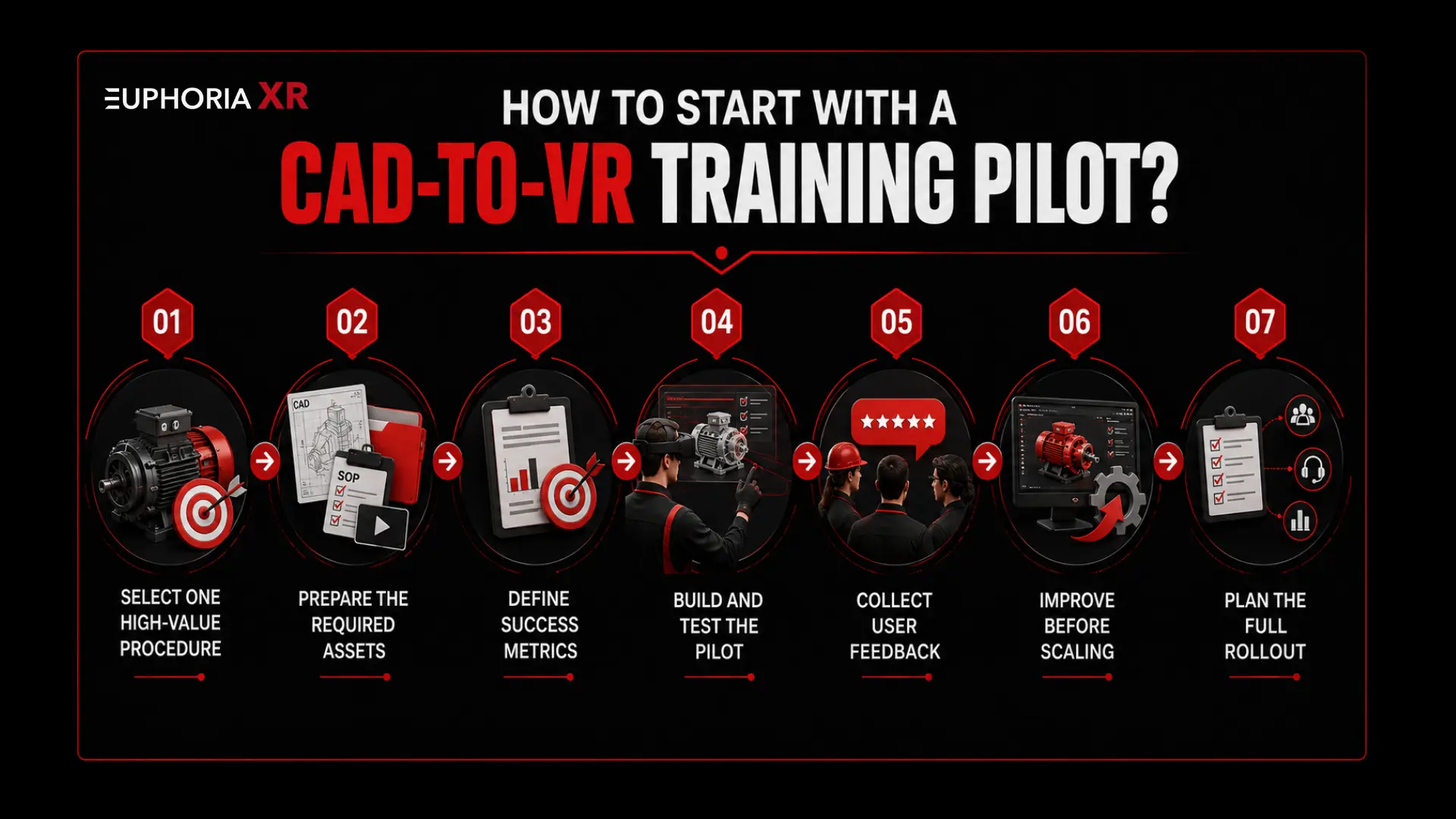
How to Start with a CAD-to-VR Training Pilot?
To make the deployment of a larger learning programme viable, a focused pilot experiment can test out the value of a learning programme, technical needs, and the deployment process.
Select One High-Value Procedure
Select a procedure that is repeated a lot of times, not easy to access, costly to demonstrate, or linked to safety and operational risk.
Prepare the Required Assets
Gather CAD drawings, handouts, SOPs, safety information, videos, and photos for the simulation, as well as tool lists and expert advice.
Define Success Metrics
Determine the process of pilot assessment. Any metrics could be included, such as completion time, errors, missed safety checks, attempts, instructor time spent, assessment scores, etc.
Build and Test the Pilot
Create a full training package with necessary gear, communication, directions, and evaluation. Verify the chosen VR equipment.
Collect User Feedback
Have the operators, technicians, trainers, engineers, and work safety groups analyze the experience. Document inaccuracies, comfort, controls, and missing steps.
Improve Before Scaling
Obtain pilot data to make improvements to the procedure, visual cues, interaction rules, equipment behaviour, scoring, and hardware set-up.
Plan the Full Rollout
Outline the devices, training locations, roles of users, roles of instructors, technical support, reporting process, and future changes to the training subjects.
How does Euphoria XR approach industrial VR Training?
The core principle of Euphoria XR is that it facilitates the structured development of the use case based on a connection between industrial training objectives, correct 3D resources, realistic interactions, suitable techniques and tools (certain hardware), and measurable learning content.
Training Needs Analysis
It starts with determining the audience, the skill sets needed, the frequent pitfalls, safety concerns, and learning goals of the training.
CAD and Technical Asset Review
The team checks on the available CADs, manuals, procedures, videos, and reference documents for the possibility of re-using parts or the need to prepare new components.
Custom Simulation Development
Euphoria XR is used to create the virtual environment, interactions with equipment, procedure logic, guidance, feedback, and assessment aspects based on the client’s training requirements.
Industrial Expert Validation
This experience is presented to operators, engineers, maintenance, and safety staff for their review to ensure technical accuracy and procedural correctness.
Hardware and Deployment Planning
The team chooses appropriate VR equipment and specifies installation, access, management, and use of applications in each training site.
Training Analytics
Helpful information like completion time, wrong actions, missed steps, number of attempts, hints, and final result can be captured during the simulation.
Ongoing Support
Technical updates, procedural changes, new equipment variations, new languages, and future training modules can all be accommodated by Euphoria XR.
Common CAD-to-VR Challenges
Challenge
Why It Matters
Practical Response
Large CAD Assemblies
Heavy Models Can Reduce Frame Rate and Cause Poor VR Performance
Remove Unnecessary Parts, Reduce Polygons, and Create Levels of Detail
Inconsistent Component Names
Unclear Part Names Make Interaction and Assessment Logic Harder to Build
Rename and Organize Training-Relevant Components
Missing Materials and Textures
Engineering Models May Appear Unclear or Unrealistic in VR
Create Simplified Materials, Labels, Warnings, and Readable Surfaces
Lost CAD Relationships
Mates, Constraints, and Parametric Features May Not Transfer Correctly
Rebuild Important Movement, Connection, and Interaction Rules
Unrealistic Machinery Behavior
A Visually Accurate Model May Not Respond Like Real Equipment
Add Joints, Controls, Interlocks, States, and Validated System Logic
Equipment Model Updates
Design Changes Can Affect Procedures, Interactions, and Scoring
Use Version Control and Plan a Structured Update Process
Poor Real-Time Performance
Low Frame Rates Can Reduce Comfort and Usability
Optimize Geometry, Lighting, Textures, Collisions, and Effects
Complex Controls
Difficult Controls Can Distract Learners from the Training Task
Use Simple Interaction Patterns and Provide a Short VR Orientation
User Discomfort
Long Sessions or Forced Movement May Cause Fatigue or Motion Sickness
Use Comfortable Navigation, Stable Performance, and Shorter Sessions
Weak Subject Matter Validation
Incorrect Steps Can Make the Simulation Unsafe or Misleading
Involve Operators, Engineers, Trainers, and Safety Experts
Security Concerns
CAD Files May Contain Valuable Industrial Intellectual Property
Use Secure Transfer, Controlled Access, and Suitable Deployment Options
Content Maintenance
Procedures and Machinery Can Change After Deployment
Assign Content Owners and Schedule Regular Reviews
The Future of 3D CAD in Industrial Training
The industrial training of the future will bring together Engineering Models with Connected Systems, Intelligent feedback, Portable equipment, as well as more flexible delivery of training.
Some of the potential developments include:
Provided digital twins that were connected with the real conditions of the equipment
Creates mixed reality explanatory videos for physical equipment.
Feedback is supported with the help of AI to reflect on learners’ actions and errors.
Individualized Instruction that varies activities based on the individual’s level of performance
A multiuser simulation for teamwork and emergency response
Support for multiple instructors’ participation remotely from various sites
VR training kits that are easily portable in a single unit (with one VR headset)
Rapidly release the latest version of the software and procedures for new equipment
A more detailed performance analysis and competency profile
Provide better integration with enterprise learning and workforce systems.
Provide a safer means of performing critical tasks for your employees. Create a custom industrial VR training solution for your equipment and operations.
Industrial CAD models may be transformed into real hands-on virtual reality training.
CAD visualisation displays equipment, and VR training teaches and assesses procedures.
Model optimisation is necessary for smooth real-time performance.
Effective training involves accurate machinery behaviour, guidance, and evaluation.
Industrial experts need to validate all critical steps and safety rules.
A focused pilot test to measure technical, learning, and business value before scaling.
Security needs to be provided for CAD files, training data, and user access.
Euphoria XR can ease planning, development, deployment, analytics, and continuous updating.
Final Thoughts
VR is enabling industrial businesses to turn engineering data into safer and more repeatable industrial training, using 3D CAD. For companies, there are potential methods to prepare their workers before running, inspecting, maintaining, or troubleshooting real machinery equipment, and with accurate models, approved procedures, realistic interactions, expert validation, and measurable assessments, Euphoria XR can help get them ready.
No. It enables hands-on training for the workers by training them before operating the actual equipment. Practices hard skills in VR before workplace training and understands safety requirements by learning procedures.
Yes. A modular training system allows for the use of common components, interfaces, and procedures between several machine versions. But there may still be a need for new models, interactions, controls, and expert quality control for each variant.
Yes. Different translations of text, audio, labels, subtitles, instructions, and assessments may be created for different locations. Each version should also accurately acknowledge local vocabulary, units, legislation, and organizational techniques.
Accessibility support can be provided in seated modes, at adjustable height, with subtitles and audio guidance, clear visual signals, simplified controls, and desktop alternatives. What you select for the correct option will be based on the task and requirements of the users.
Get Started With Euphoria XR • Award-Winning AR/VR/AI Development & Consulting Services • Flexible Business Models – Project Based or Dedicated Hiring • 10+ Years of Industry Experience with Global Clientele • Globally Recognized by Clutch, GoodFirms & DesignRush
I’m M.A Malik, Co-Founder and AR/VR Mentor at Euphoria XR, with 10+ years of experience in immersive technology. Over the years, I’ve worked across augmented reality, virtual reality, and interactive digital experiences, helping businesses move from ideas to practical solutions. I also share insights on AR/VR development, implementation, emerging trends, and real-world applications based on hands-on industry experience.